What Is a Digital Business Card?
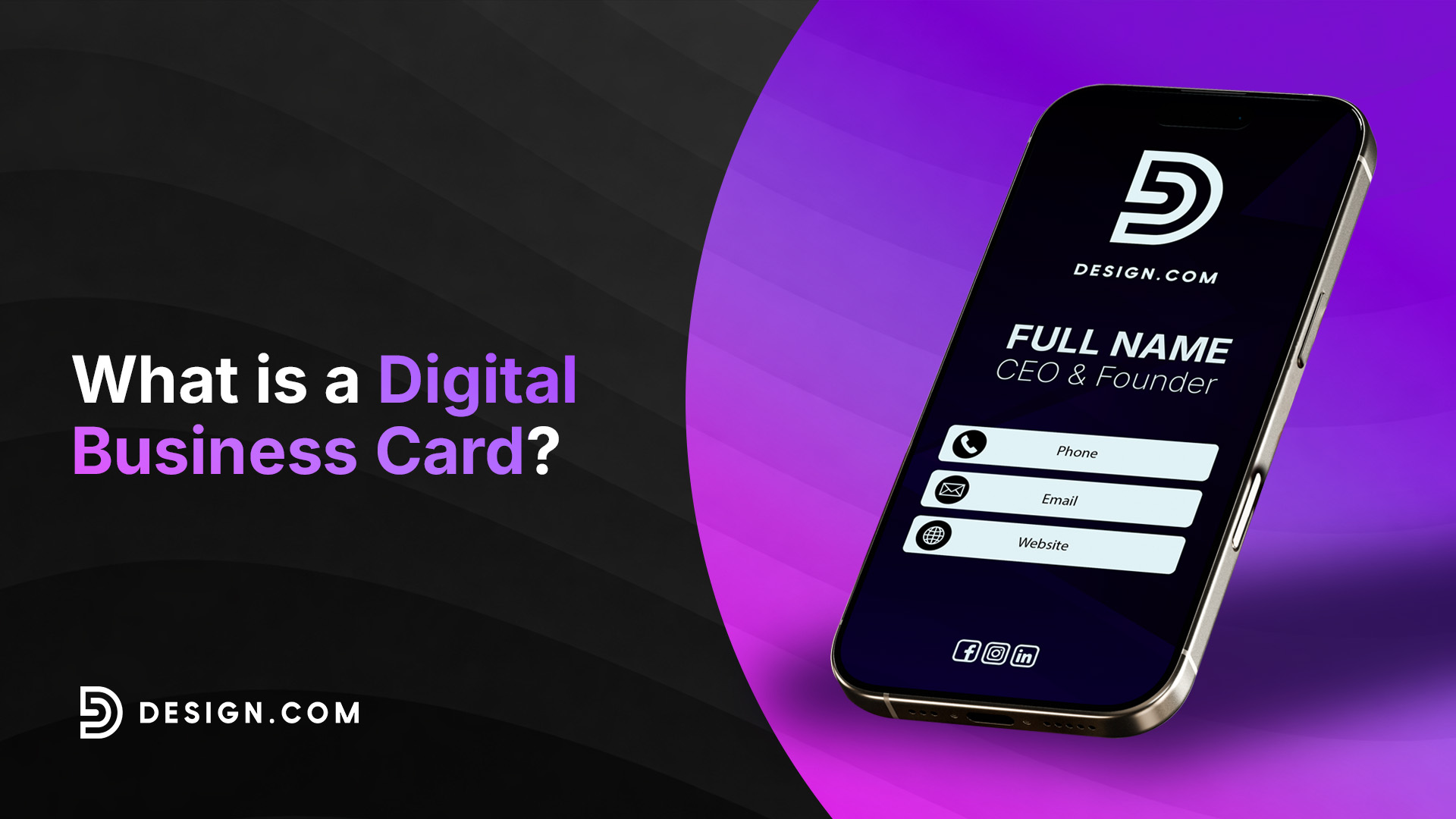
A digital business card is an online profile that lets you share your professional and contact information through a link, QR code, email, text message, or other digital methods. Unlike a traditional, physical business card, a digital business card can include clickable links and other interactive elements.
Digital business cards are also known as virtual and electronic business cards. Instead of taking a photo or scanning your physical business card, the digital format provides you with a more flexible way to keep your information in one place and share it online or in person.
However, like a traditional business card, your digital business card should reflect your brand. Consistent colors, fonts, and logo design can help make your card recognizable and connected to your broader brand.
What is a digital business card?
A digital business card is still similar to a traditional physical business card. It’s just more flexible in keeping and sharing your information using a link, QR code, or other supported methods. Depending on the platform, your card can include your:
- Name and job title
- Company or business
- Phone number and email address
- Website
- Social media profiles
- Portfolio or booking page
- Other professional links
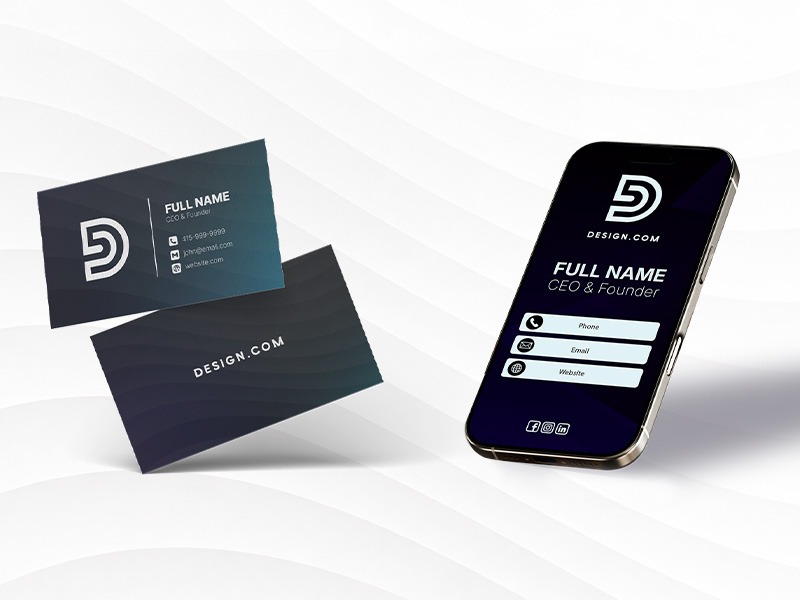
What makes a virtual business card particularly useful is that these details can be interactive. People can just tap your phone number to call you, select your email address to send a message, or visit your website and social media accounts. You can also update your information easily, so you don’t have to create a new one.
This flexibility makes electronic business cards useful for small business owners, freelancers, sales professionals, employees, creators, job seekers, and anyone else who regularly shares professional information. Digital business cards are also web-based. People who receive them can open them in their browsers — no specific app required.
How do digital business cards work?
The process depends on what platform you’re using, but most digital business cards follow these steps:
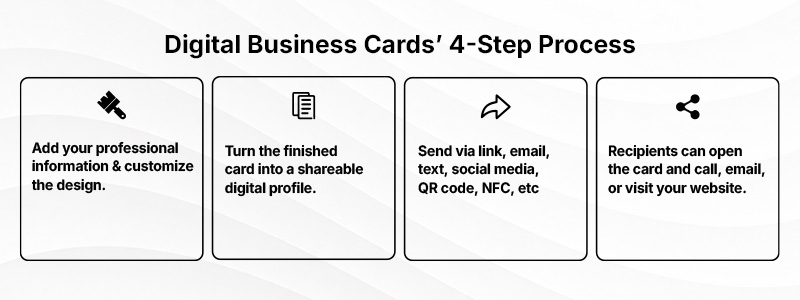
It’s important to differentiate between the digital business card and the technology used to access it. This means that neither the QR code nor the NFC card is the virtual business card itself. The QR code is just a scannable way to open it, while the NFC card is just an object that directs you to the electronic business card using a compatible device.
What should you put on a digital business card?
While a digital business card gives you more room to share information, you don’t have to put everything. Focus on the details that will tell people who you are, what you do, and how they can connect with you.
Essential information
Always start with your basic information. These are what most professional virtual business cards include:
- Full name
- Job title or professional role
- Company or business name
- Phone number
- Email address
- Website
- Business logo or professional photo
Not every field will be necessary. For instance, freelancers won’t need a separate company name since most of them work under their own name.
Additional information
After the basics, you can also add links and information based on what you want people to do after receiving your card. These might include:
- Social media profiles
- Portfolio
- Booking or calendar link
- Business location or map
- Online store
- Product or service pages
- Messaging apps
- Downloadable materials
- Short professional bio
- Call to action
Always define your card’s purpose before deciding what information to include. Small businesses may want their target audience to visit their website or online store. On the other hand, freelancers want people to check their portfolio, while consultants can use a CTA that lets people book a consultation.
How do you share a digital business card?
One of the main advantages of using a digital business card is that you can easily share it in different situations. Here are some ways in which you can share your card:
| Sharing Method | How It Works | Useful For |
| Personal link | Share a URL that opens your card | Email, websites, messaging, and social media |
| QR code | Scan the code to open your card | Events, stores, signage, and printed materials |
| Email signature | Add your card link or QR code to your signature | Everyday professional communication |
| Text or messaging app | Send your card link directly | Introductions and follow-ups |
| Social media | Add your card link to a profile or post | Creators, freelancers, and online networking |
| NFC | Tap a compatible device or NFC-enabled object to open your card | In-person networking |
| Digital wallet | Store a supported card or pass in a phone wallet | Quick access at events and meetings |
Digital business card vs. paper business card
Digital and paper business cards serve the same basic purpose — to introduce who you are and provide ways for people to contact you. However, there are several differences to take note of:
| Feature | Digital Business Card | Paper Business Card |
| Updating information | Usually editable after publishing | Requires reprinting |
| Sharing | Link, QR code, email, messaging, social media, or NFC | Typically handed to someone in person |
| Interactive links | Can link directly to websites, social profiles, and other pages | Requires a QR code or typed URL |
| In-person exchange | Not required | Typically required |
| Space for information | More flexible | Limited by card dimensions |
| Printing costs | Usually none | Requires printing and reordering |
| Internet access | May be required to view the card | Not required |
| Experience | Convenient for online and in-person sharing | Offers a physical, tactile exchange |
However, choosing to use digital business cards doesn’t mean skipping paper business cards. You can still have both and make them work together. For instance, you can add a QR code at the back of your paper business card so people can scan it and visit your digital profile where they can access more information about you and your business.
Digital business card vs. QR code vs. NFC card vs. vCard
Digital business cards are often mentioned along with other technologies, such as QR codes, NFC cards, and vCards. However, they don’t mean the same thing:
| Term | What It Is |
| Digital business card | An online profile containing your professional information, contact details, and relevant links |
| QR code | A scannable code that can open a digital business card or another online destination |
| NFC business card | A physical card or object with an NFC chip that opens a digital destination when tapped with a compatible device |
| vCard/VCF | A contact file that can be saved or imported into an address book |
| Static digital card | An image or PDF version of a business card, usually without interactive or dynamic features |
The easiest way to remember the difference is that the digital business card is the profile people view. On the other hand, a custom QR code or NFC card can help people access it, while a vCard is designed to save contact information to an address book. You can use them altogether to share your electronic business card.
What are the benefits of a digital business card?
Compared with relying solely on printed cards, digital business cards offer several practical advantages:
- Easy to update: Make changes anytime if you get a new job title or contact information without printing a new set of cards.
- Easy to share: Send your card through a link or other supported methods, like QR codes, making it useful for both online and in-person networking.
- Interactive: Let recipients call or email you, visit your website or portfolio, or open other relevant links directly from your card.
- More flexible: Add more information and links that can’t fit on a standard printed business card.
- Consistent with your brand: Use your brand logo, colors, fonts, and other visual elements to create a consistent professional identity.
- Reduces printing costs and paper use: Share your card digitally when a physical copy isn’t necessary, reducing the need to print and reorder business cards.
These are the core benefits of a virtual business card, but some platforms also offer analytics, lead capture, CRM integrations, or contact saving. If you want these additional features, find the platform that supports them before creating your card.
Are there any downsides to digital business cards?
While digital business cards are convenient, there are still some limitations to consider:
- Internet or device requirements: Some digital business cards would require an Internet connection to load, but features such as NFC may depend on compatible devices.
- Less of a physical exchange: Some people still prefer the personal, tactile experience of handing over a traditional business card.
- Potential for clutter: Adding too many links or details can make your card harder to navigate.
- Privacy considerations: Anyone can access all the contact information you publish on your digital business card.
- Ongoing maintenance: Links can become outdated, and platforms can stop working or require updates and maintenance.
Fortunately, most of these limitations are easy to manage. Keep your card focused on the important details, test it on different devices, and check your links regularly.
Who should use a digital business card?
A digital business card is useful for anyone who regularly shares professional or business information. You can decide what to include, depending on your role, your audience, and what you want people to do after viewing your card.
| User | What to Prioritize |
| Freelancer or consultant | Portfolio, services, email, and booking link |
| Small business owner | Website, phone number, location, and inquiry link |
| Sales professional | Direct contact details and meeting link |
| Real estate professional | Phone number, listings, agency information, and booking link |
| Creator | Social channels, portfolio or media kit, and collaboration contact |
| Job seeker | LinkedIn, résumé, portfolio, and email |
| Event attendee | Contact information, company details, and LinkedIn |
| Employee or team member | Role, company information, and professional contact details |
You don’t need to include all your details on your electronic business card. The key is to create your card for its intended purpose. Limit the information to only what will help your audience take the next step.
How to create a digital business card
Creating a digital business card is more than choosing a template and putting in your information. Here’s the process for creating a virtual card:
1. Decide what you want your card to achieve
Set one main goal for your digital business card. This helps you decide what information, links, and CTA to include.
2. Gather your information
Before designing your card, prepare the information and brand assets you want to include:
- Professional role
- Company or business name
- Phone number and email address
- Website or portfolio
- Logo or professional photo
- Relevant social or professional profiles
- Short description
- Primary CTA
Having everything ready makes the design process easier. It also helps keep your card consistent with the rest of your brand.
3. Choose a design that matches your brand
Choose a layout that already aligns with your website, social media profiles, and other marketing materials. Use your brand colors and fonts where appropriate, and make sure your brand logo and photo are clearly visible without overpowering the whole design.
4. Add your contact details and links
Add your contact information and turn the most important details into useful actions, like letting people tap on your number and email address to contact you. You can also let your recipients click on your website, portfolio, or booking page.
5. Publish and test your card
After completing your card, publish it and check how it looks on a desktop and mobile device. Make sure your information is readable and interactive elements are easy to identify. Test your phone number, email address, website, social profile, and other links before sharing your card.
6. Share your digital business card
After confirming that everything works, you can start sharing your card.
Add your link to your email signature, social media profiles, website, messaging apps, and presentations. For in-person interactions, you can hand out a paper business card or printed materials with a QR code or an NFC card that directs people to your electronic card.
Create your digital business card with Design.com
Digital business cards give people a convenient way to learn about who you are, what you do, and how to connect with you. They can also direct people to your website, portfolio, social media profiles, booking page, and other online destinations that support your professional goals.
Unlike a printed card, your digital business card can also be updated and shared easily. Whether you’re meeting potential customers face-to-face or connecting online, people can easily find and connect with you, find the right information, and take the next step.
If you’re ready to create one, Design.com’s digital business card maker lets you start with a professionally designed template, refine your options with keywords, and customize your chosen design to match your brand. You can also add a favicon, customize how your card appears when shared on social media, let visitors save your contact information, and connect third-party tools for analytics and monetization.
Read more blogs here:
- What is a Business Card?
- Best Business Card Makers in 2026
- What Makes a Good Logo? 10 Principles of Effective Logo Design
Dianne Claveria is an SEO content writer specializing in digital marketing, branding, and technology trends. Passionate about helping businesses grow online, she enjoys exploring the latest tools and innovations in the digital space while creating content that’s both engaging and search-optimized.