How to Write an AI Logo Prompt: Formula and Examples
With the power of AI, anyone can get a logo in seconds.
Getting a logo that looks good and is right for your business, however, highly depends on what you tell it.
Because just saying “create a cool logo” or “give me a coffee shop logo” is not enough. It will just leave the AI to its own devices and thus give you the most generic, average design of all time.
What you need are prompts that give the AI logo generator a clear, creative direction so that you get logos that are close to what you actually need.
Luckily, you don’t need to be an AI engineer or expert to have the right AI logo prompt. A simple formula is enough. What to know about it? Read on to find out more.
What is the best formula for writing an AI logo prompt?
A good AI logo prompt contains Brand + Type + Concept + Colors + Personality + Requirements.
You won’t necessarily need all six every time. But following the formula is useful for avoiding overly random or generic results.
Let’s break down the formula below to see why each of them is helpful:
1. Brand name or subject
Start with who or what you’re actually designing for. This means your business name + details like industry, main product or service, or the general identity of your business.
A weak prompt is:
“Create a logo for Wildpath.”
It’s too vague as the AI won’t have any idea what Wildpath is. Just from the name, it could be anything from an e-sports team to a wildlife conservatory. This means you’ll get a lot of irrelevant results.
Vs. a good one that is:
“Create a logo for Wildpath, an outdoor adventure company offering guided hiking trips for young travelers.”
See? The second prompt immediately gives Wildpath some context – that it has something to do with outdoor adventure and hiking, and that your audience skews young. You’ll now get more targeted icons like mountains or trail paths, and brighter colors and art style to fit the younger vibe.
Don’t have a brand name yet? Our business name generator might help you.
2. Logo type
Next is to describe the logo type that you want to see.
The most common logo types are:
This is helpful in narrowing down the possibilities and saves you time from sifting through unsuitable results. Because if you only want to see wordmark logos, then you don’t need to sit through endless logos with icons or mascots.
3. Visual concept
Ideally, you should also describe the concept or style that you want to see.
Do you want it to look vintage? Or maybe corporate and clean? Or do you want something very playful and colorful?
The important thing is to choose a style that fits your brand personality instead of picking styles that you personally like. For example, a vintage emblem logo might look great for a craft brewery but feel completely wrong for a finance app. An elegant serif wordmark might make sense for a luxury beauty brand, but seem unnecessarily formal for a children’s toy store. And so on.
And if you want the logo to feature a specific icon, make sure to tell the AI that as well. The prompt could be something like “Create a minimalist pictorial logo that uses a diamond icon for a luxury jewelry brand.”
It’s also best to keep your instructions restrained to focus on just one icon. A prompt asking for “a mountain, river, forest, compass, tent, sunrise, eagle, hiker, and stars” will just give you an illustration rather than a logo.
4. Color palette
Color can dramatically change how the same basic logo feels, so make sure to include your preferences.
It’s best to stick to two or three colors in your prompt. Try to also be as specific as you can. Say “navy blue” instead of just “blue”, or even better, give the hex code if the generator supports it.
Don’t have brand colors yet? It’s perfectly fine to leave this part out. Generate a few directions first, then specify the palette once you see what suits the brand.
You can also take a look at our article on how to use the color wheel for your logo design to help you find the right color to use.
5. Brand personality or mood
This is where you tell the AI how the business should feel.
A law firm might want to appear trustworthy and established. A children’s clothing brand may prefer friendly and playful. A wellness company could aim for calm and natural, while an energy drink might need something bold and energetic.
Two or three descriptors are normally enough. Don’t add on so many adjectives because you think it will be better, like “Premium, cheap, rebellious, traditional, playful, serious, youthful, mature”. It will just likely confuse the AI on what you really want (especially if you have contradicting words like premium and cheap).
Some good examples are:
- Trustworthy and professional
- Friendly and approachable
- Premium and sophisticated
- Playful and youthful
- Calm and serene
- Organic and natural
- Bold and energetic
Only choose the characteristics that best sums up your business.
6. Technical requirements
Finally, tell the AI your specific “what to do” and “what not to do”.
These could be things you do not want to see, like “no gradients”, “no text”, or “no photorealism”. Alternatively, you can be specific and say “use a watercolor-like art style” or “use the color carmine red only”.
Again, this filters out results that you don’t want to see so that the outputs are only those you’ll likely consider using.
And if you are using an AI image generator (and not a specific AI logo generator), we have a tip for you. Most of them still interpret the term “logo” rather loosely, which is why you still get designs that seem more like a Facebook post or website banner even if you say you need a logo. If you want to ensure you get an actual logo file, you can add a requirement like “centered, isolated on a plain white background, square composition.”
The best AI logo prompt template to use
Put the AI logo prompt formula of Brand + Type + Concept + Colors + Personality + Requirements and you get a reusable template like this:
“Create a [logo type] logo for [brand name], a [industry/business type]. Use [symbol/concept] as the main visual element. Use a [color palette] color scheme and a [brand personality] feel. Include [typography/layout preference]. Keep the design [technical requirements].”
You don’t have to follow the wording exactly. You don’t even need to use all six parts every single time (for example, if you want a wordmark, you won’t need to add the instruction for a symbol). Treat it as a checklist or guide rather than a rigid script.
Following the template will give you something like this:
“Create a modern minimalist logo for Minisode, an architectural studio specializing in sustainable residential spaces. Use a geometric house shape as the main visual element. Use the colors charcoal gray and muted green. Pair the symbol with clean sans-serif typography. Keep the design flat, simple, highly legible, and suitable for both small digital applications and large signage.”
The prompt establishes a direction while still leaving enough creative room for the AI to produce multiple interpretations or original designs.
Why your AI Logo prompt matters
AI needs creative direction to give you the right logo outputs.
If you ask for “a logo for a fitness company,” the AI logo generator still has to decide whether that fitness company is a hardcore bodybuilding gym, a luxury Pilates studio, a friendly community fitness center, or a children’s sports program.
All of those are part of the fitness industry, but they wouldn’t necessarily look alike or use the same icons, right?
Adding the right details also helps establish a clearer visual direction from the beginning. It may be a fitness company, but you may want it to look more luxurious, playful, or urban to better fit your audience or brand identity.
Now, this doesn’t mean longer or incredibly detailed prompts automatically produce better logos.
In fact, trying to squeeze every possible idea into one prompt can make the direction less clear. Asking for a logo that is “modern, minimalist, geometric, bold, and friendly” leaves the AI with several competing instructions. At the same time, some AI logo generators might place more weight on “modern” or “friendly”, which can skew the results. So it’s best to put only the most important descriptors you want to hit.
And most importantly, even the best AI logo generator cannot read your mind or understand nuance. If you want a “cool logo for a fitness company,” you cannot decide what is “cool” or not. The AI will simply look at its dataset of fitness company logos, find their average, and spit out the most generic or safe logo that fits the industry’s standards. It won’t capture your brand’s specific identity, nor will it look unique or original enough.
But if you give it a strong prompt that gives enough context of your brand’s main offering, identity, and the visual style you are going for, it has a greater chance of producing more accurate results.
Weak vs. strong AI logo prompts
The easiest way to show what makes a good prompt is to see it side by side with a weak version:
| Weak Prompt | Strong Prompt |
| “Make a logo for my bakery.” | “Create a warm, minimalist logo for an artisan bakery called Hearth & Honey. Use a simple wheat-stalk symbol, warm terracotta and cream, rounded serif typography, and clean flat-vector shapes.” |
| “Modern tech logo.” | “Create a minimalist geometric logo for a B2B software company. Use an abstract interconnected-node symbol, navy and electric blue color palette, and clean sans-serif typography. The overall style should feel professional and trustworthy.” |
| “Luxury fashion logo.” | “Create an elegant wordmark for a premium women’s fashion brand. Use black and ivory palette, refined high-contrast serif typography, generous spacing, and a sophisticated minimalist aesthetic.” |
And no, the strong prompts aren’t stronger just because they are longer. It’s stronger because you made all the meaningful decisions instead of letting the AI figure it out by itself.
To explain even further:
“Make a logo for my bakery” is weak because the AI can’t read your mind or automatically know about your bakery. This prompt will only lead the AI to common bakery trends and styles, so you might get very basic bread loaf icons or even cake logos.
The strong prompt, however, gives the AI some important information: that you specifically want a wheat stalk icon, the specific color palette you want to see, and that it’s an artisan bakery and thus needs a warm, approachable overall look.
All of those directions should help the AI give you the logo that you want.
What are the best AI logo prompts for different industries?
Need somewhere to start? These logo prompts can be adapted to your own business.
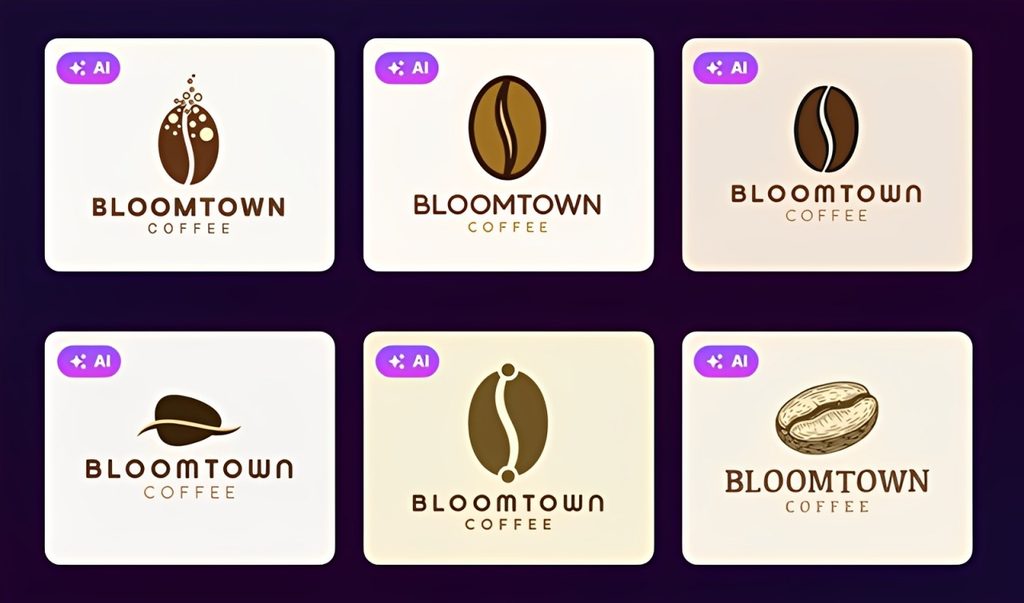
Coffee shop
Formula: Coffee brand + minimalist + coffee bean + brown/cream + welcoming + flat shapes
Logo prompt: “Create a minimalist logo for Bloomtown Coffee, an independent neighborhood coffee shop. Use a simple, abstract coffee bean as the central symbol, in dark brown and warm cream. Give the brand a relaxed, modern, welcoming feel using clean, rounded typography and simple flat shapes.”
Bakery
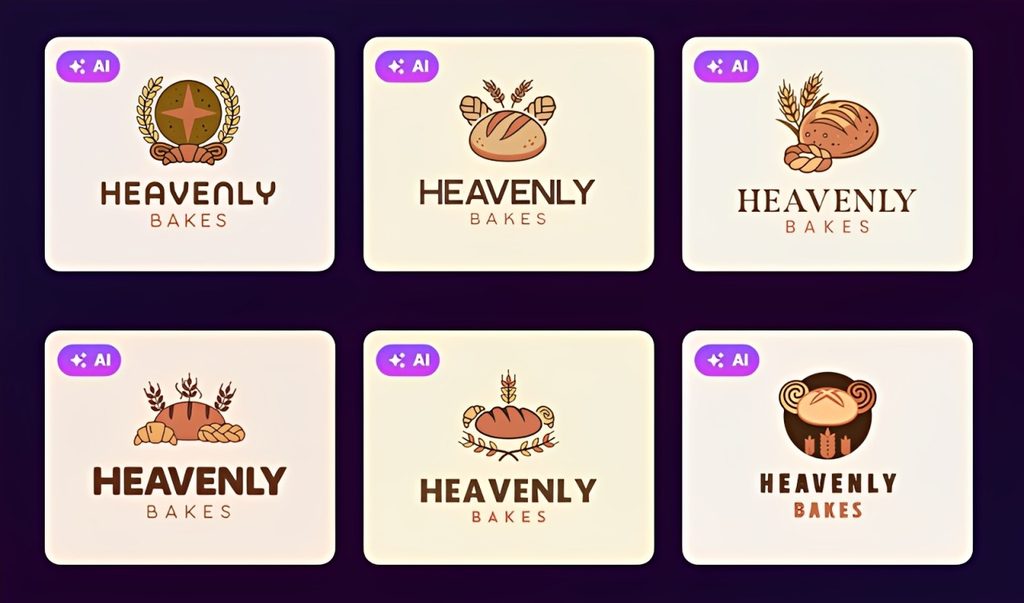
Formula: Bakery + handcrafted + wheat + earthy colors + warm + simple hand-drawn treatment
Logo prompt: “Create a handcrafted logo for Heavenly Bakes,an artisan bakery specializing in sourdough bread and pastries. Use a simple wheat illustration with warm beige, terracotta, and dark brown colors. Use slightly imperfect hand-drawn lines and friendly serif typography for a warm, homemade feel.”
Tech startup
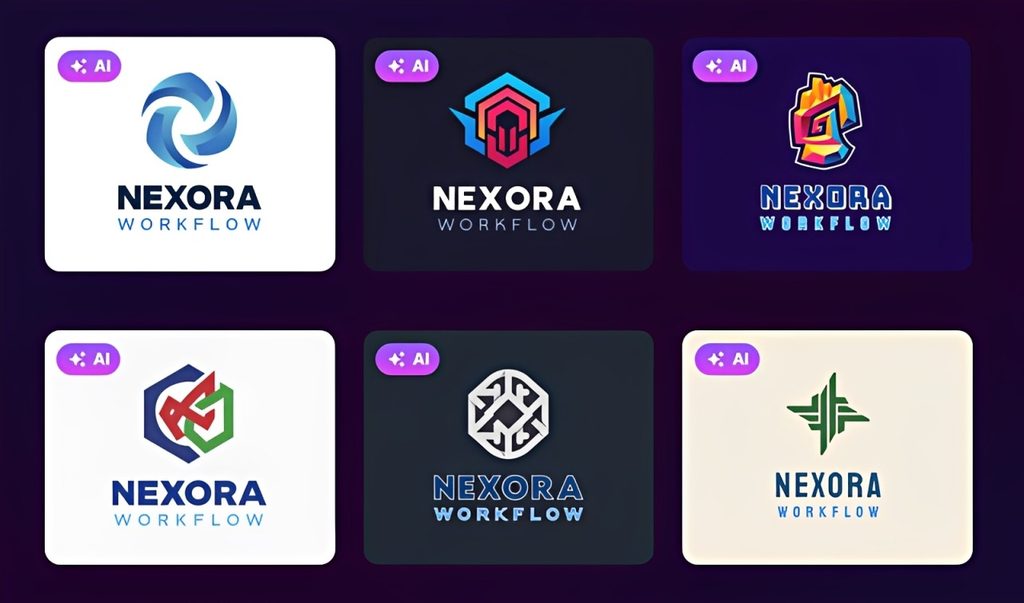
Formula: SaaS + geometric + abstract connection + blue palette + innovative/professional + scalable
Logo prompt: “Create a modern geometric logo for Nexora Workflow, a SaaS startup that helps teams automate repetitive workflows. Use an abstract interconnected symbol suggesting movement and efficiency. Use deep navy and bright blue with clean sans-serif typography. Keep the design minimal, professional, and scalable.”
Fitness brand
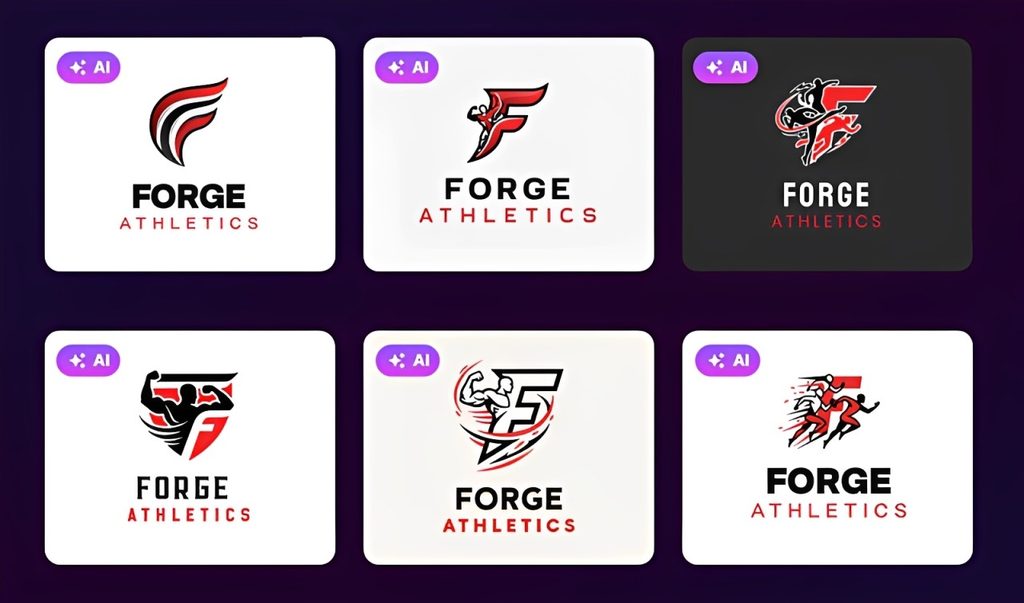
Formula: Fitness + bold + letter symbol + limited palette + energetic + recognizable.
Logo prompt: “Create a flat vector logo mark for Forge Athletics, a strength and conditioning brand for serious athletes. Use a sharp abstract F symbol suggesting motion, energy, and strength. Use black, white, and red with heavy sans-serif typography.”
Law firm
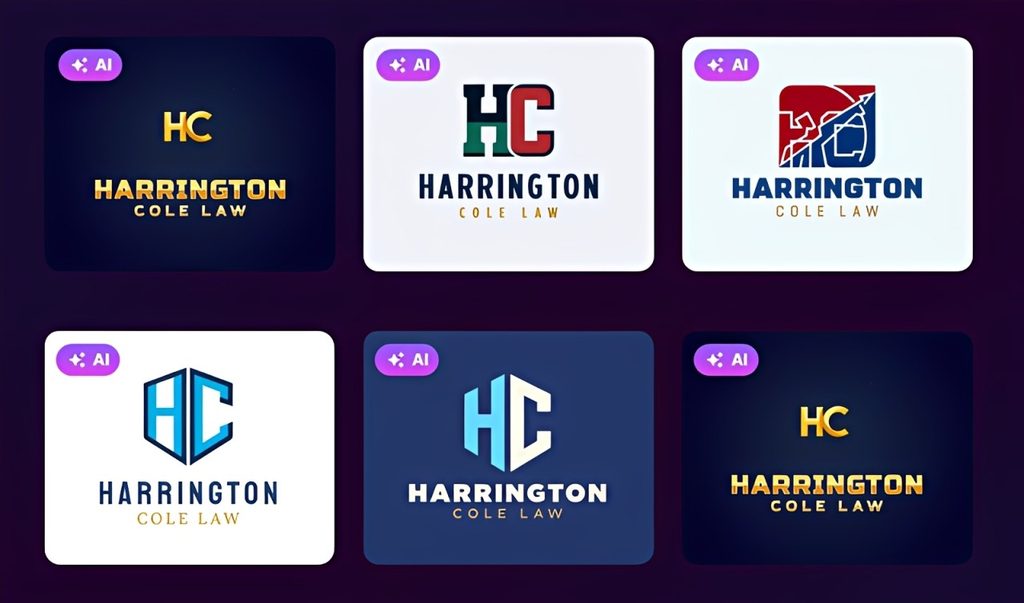
Formula: Law + classic + monogram + navy/gold + trustworthy + balanced composition.
Logo prompt: “Create a classic combination-mark logo for Harrington Cole Law, a corporate law firm. Use a restrained HC lettermark with navy and warm gold. Pair it with traditional serif typography and balanced spacing. The logo should feel established, trustworthy, professional, and understated.”
Real estate company
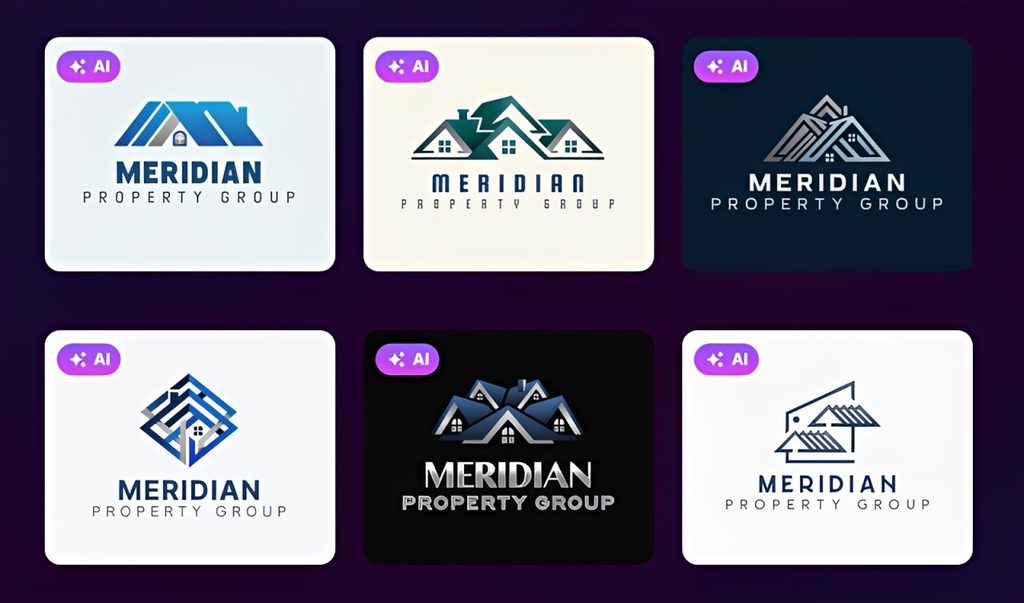
Formula: Real estate + modern professional + geometric + blue/gray + dependable + corporate.
Logo prompt: Create a clean professional logo for Meridian Property Group, a residential real estate company. Use a simple geometric symbol inspired by rooftops and architectural lines without creating a detailed house illustration. Use dark blue and neutral gray with modern sans-serif typography. Keep the design polished and corporate.
Beauty brand
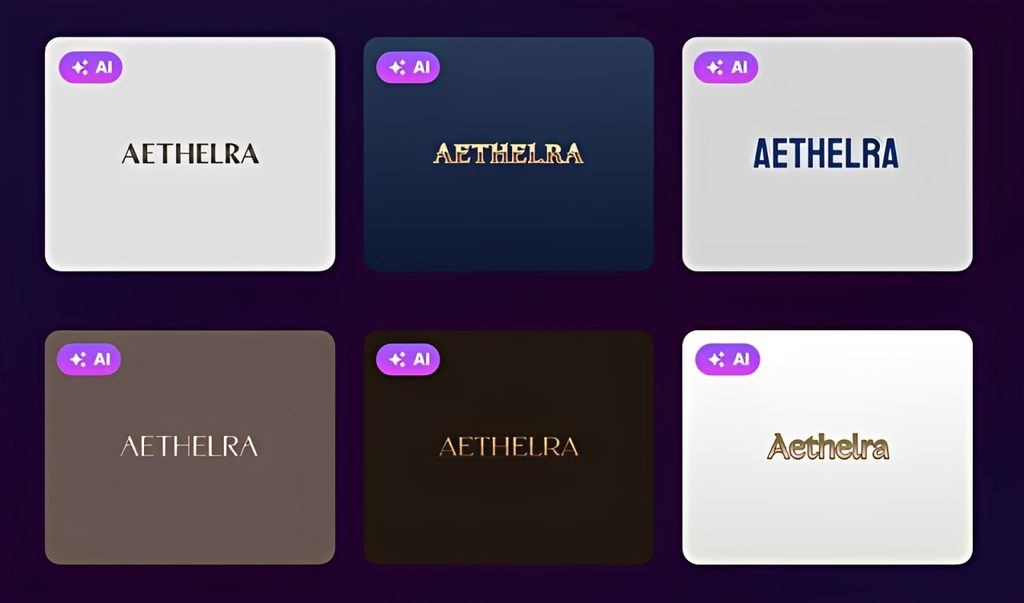
Formula: Beauty + elegant wordmark + typography-led + ivory/rose + sophisticated + minimal detail.
Logo prompt: “Create an elegant wordmark logo for Aethelra, a premium skincare company. Use refined high-contrast serif typography, generous letter spacing, and a soft ivory and muted rose palette.”
Eco-friendly business
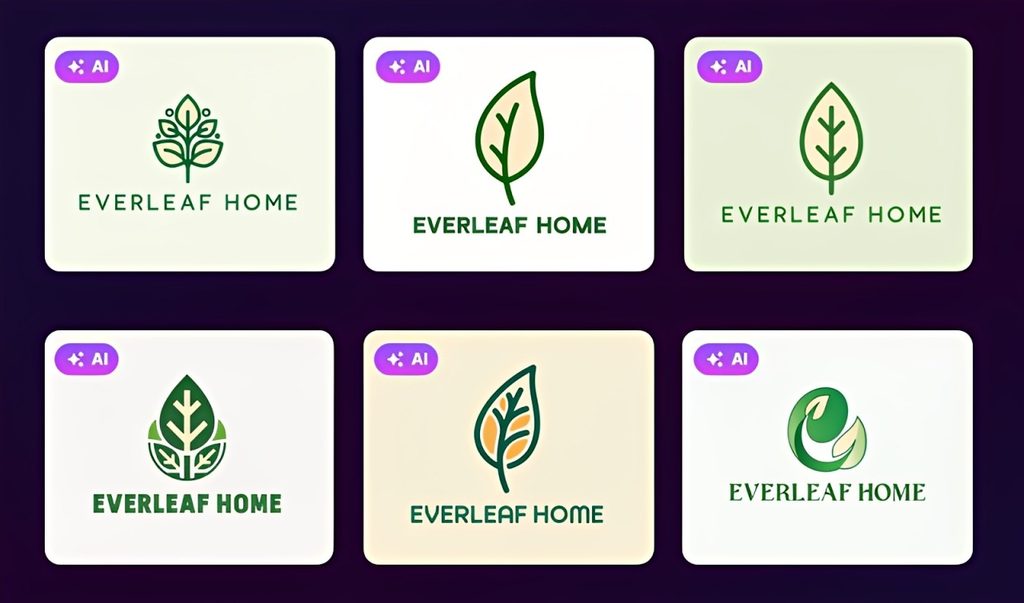
Formula: Sustainable brand + organic + leaf + green/cream + natural + simplified symbol.
Logo prompt: Create a clean, organic logo for Everleaf Home, a sustainable household products brand. Use a simple abstract leaf created from flowing lines, with forest green and warm cream colors. Use approachable lowercase typography and give the design a natural, contemporary feel. Avoid overly detailed botanical illustrations.
Restaurant
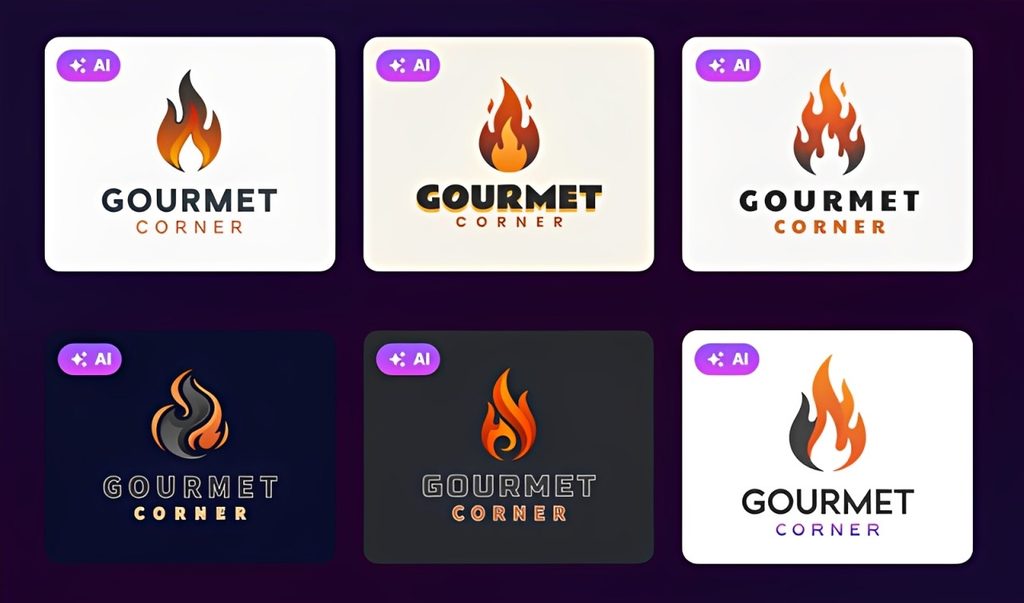
Formula: Restaurant + modern + flame + charcoal/orange + refined + practical applications.
Logo prompt: “Create a modern combination-mark logo for Gourmet Corner, a contemporary wood-fired restaurant. Use an abstract flame symbol with deep charcoal and burnt orange. Pair it with clean modern serif typography. The overall design should feel refined and inviting rather than rustic, with simple shapes suitable for menus and storefront signage.”
Personal brand
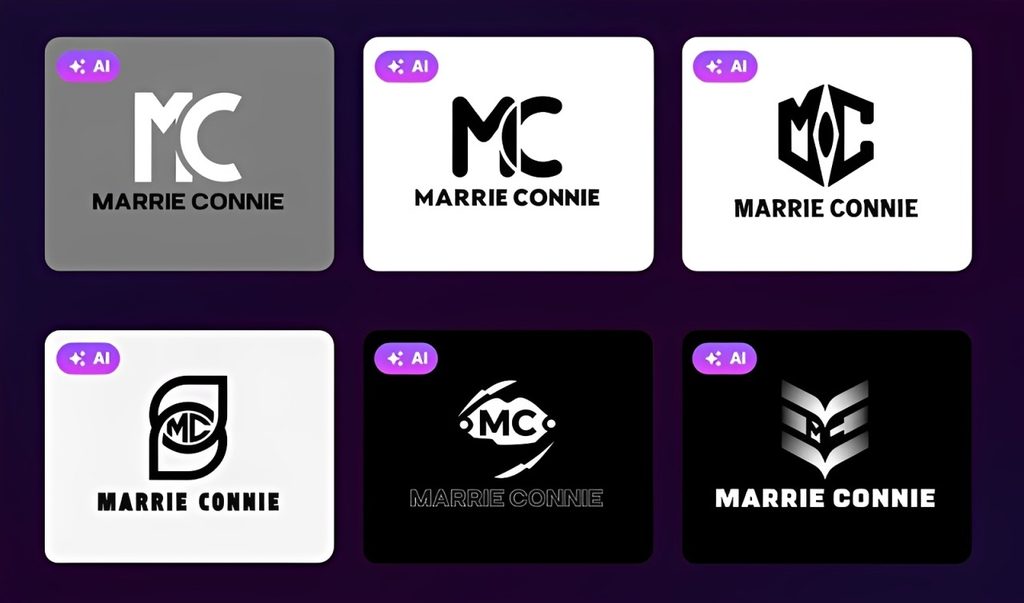
Formula: Personal brand + minimalist + MC monogram + monochrome + confident + small-size legibility.
Logo prompt: “Create a minimalist lettermark logo for Marrie Connie, an independent creative consultant. Combine the initials M and C into a simple geometric monogram. Use black and white with modern sans-serif typography. Keep the logo confident, sophisticated, uncluttered, and recognizable as a small social media profile image.”
How to improve an AI logo prompt
Contrary to popular belief, your first prompt doesn’t have to be perfect. Think about it, even human designers needed to do revisions back then!
So it’s perfectly alright to start with a broader concept, get a bunch of AI logos as options, then build up your chosen logo to get what you want.
Let’s say you start with:
“Create an elegant modern logo for Bloomwell, a natural skincare company. Use a botanical symbol that is hand-drawn and green and a cream color palette.”
Maybe the icon looks overtly intricate. Instead of throwing it all away and trying a completely new logo, try to refine the problem first:
“Make the botanical symbol simpler and use fewer details.”
Now, maybe the icon improves, but the overall result now seems too traditional. Try: “Keep the simple botanical symbol, but make the typography more modern and minimal.”
Now you’re moving toward the right design through controlled changes rather than randomly changing the entire prompt after every generation.
Just keep in mind that it’s important that you identify why you don’t like a result and how it should be fixed. “Make it better” or “I don’t like the logo” doesn’t tell the AI very much. “Simplify the icon and make the typography bolder” does.
Being clear with your instructions leads to effective results, whether you use an AI logo generator, AI website builder, AI business card maker, and so on.
Conclusion
Writing a good AI logo prompt is less about using complicated language and more about giving the generator a clear creative direction. If you can explain what your brand does, how it should feel, what visual style fits it, and which details matter most, you are already giving the AI much more useful information to work with.
The Brand + Type + Concept + Colors + Personality + Requirements formula is a simple way to cover those essentials without overloading the AI. From there, you can generate different directions, refine anything that feels off, shortlist the strongest concepts, and customize the final design.
That process is especially straightforward with the best AI logo generator of Design.com because you can use your business details and keywords to explore relevant logo ideas, then adjust the fonts, colors, layouts, and other elements once you find a direction that fits. The result is a logo that is not just visually appealing, but better aligned with the brand you are actually trying to build.
Frequently Asked Questions
What is an AI logo prompt?
An AI logo prompt is a written instruction describing the logo you want an AI generator to create. It can include your business name, industry, logo style, visual concept, colors, brand personality, typography preferences, and technical requirements.
How do you write a good AI logo prompt?
Start by describing your brand, then add the logo type, style or concept, preferred colors, two or three personality traits, and any important practical requirements. Keep the direction specific without trying to describe every detail of the finished logo.
What should I include in an AI logo prompt?
A useful AI logo prompt can include six elements: Brand + Type + Concept + Colors + Personality + Requirements. You don’t need every element for every logo, but including the details that matter most gives the AI a clearer creative direction.
What are the best AI logo prompts for different industries?
The best prompts reflect the individual brand rather than relying on the industry alone. A financial app might want to look more approachable and fun to young savers, while a cafe might be offering all-natural ingredients. Add details about your specific audience, positioning, personality, and visual concept to make the prompt more relevant to your business specifically.
How can I get better results from an AI logo generator?
If your first results aren’t right, identify the biggest problem and refine that part of the prompt. You could simplify an overly detailed icon, change the typography, reduce the number of colors, adjust the personality, or try a different visual concept. Comparing several iterations is usually more effective than expecting one prompt to produce the perfect logo immediately.
Can AI generate a professional logo from a text prompt?
Yes. AI logo generators can turn a short description into professional-looking logo concepts, particularly when the prompt provides clear brand and visual direction. The strongest result may still benefit from customization, so check the typography, colors, spacing, scalability, and overall fit with your brand before using the design.