The Complete Beginner’s Guide to Website Builders
Not long ago, building a website often meant learning to code, hiring a developer, setting up hosting, and figuring out how to maintain everything afterward. For a beginner, that’s expensive, time-consuming, and takes a lot of work.
Thanks to technological advancements and the rise of AI, the process has become much simpler. You can now create your own website using a website builder. No more writing code from scratch, as they provide ready-made templates or AI-generated designs, letting you customize your layouts visually, add your content and branding, and publish when you’re ready.
In this guide, you’ll learn:
- What a website builder is
- How website builders work
- The main types available
- Essential features to look for
- Popular website builders and how they differ
- How to choose the right builder
- How to build a first website step by step
You don’t need coding or web design experience to follow along. By the end, you’ll have a clearer idea of what website builders can do, how to choose the right platform, and how to start building your own website.
What is a website builder?
A website builder is a platform that lets you create and publish a website without writing code from scratch. You also won’t need different tools for every part of the process, as most of them already provide the essentials, including:
- Website design
- Page creation
- Hosting
- Domain connection
- Content management
- Mobile-friendly layouts
- Basic SEO tools
In addition, most website builders have a visual editor, enabling you to see how your pages look as you create them. Depending on the platform, you may also be able to drag and drop elements into place, customize a ready-made template, or use AI-powered tools to generate a starting design. None of this will require you to write your own HTML, CSS, or JavaScript code — the website builders will handle all those technical aspects for you.
It’s worth noting that website builders are different from CMS (content management system) like WordPress.org. A CMS is designed to help you create, organize, and manage website content. While some CMS platforms are beginner-friendly, most still require advanced technical knowledge from their users.
Website builder vs. CMS vs. Coding from scratch
| Method | Technical Skill Needed | Setup Speed | Customization | Hands-On Maintenance |
| Website builder | Low | Fast | Moderate to high | Low |
| CMS | Low to high | Moderate | High | Moderate |
| Coding from scratch | High | Slow | Very high | High |
How do website builders work?
Website builders simplify the technical parts of creating a site. However, it’s still up to you to make the final decision about the design, content, and purpose. While every platform works a little differently, the process usually follows these six steps.

Step 1: Choose a template or generate a design
Most website builders provide pre-designed templates complete with pages and basic features. They serve as a good starting point. You can just choose your preferred template that fits your business and customize it from there.
Other platforms offer AI tools that can generate a complete website based on a prompt or a few guided questions about what you need. The AI-generated website is built with industry-related images, website copy, pages, and basic functions.
Step 2: Customize your pages
Whether you chose a pre-designed template or generated a website with AI, the next step is to customize your site. Most website builders feature an easy-to-use visual editor — either with a drag-and-drop interface or section-based editing tools. They let you make changes to the following:
- Text
- Images
- Buttons
- Forms
- Navigation menus
- Sections and layouts
Since you’re customizing your website through a visual editor instead of editing the underlying code, you can see how your changes affect your site in real time.
Step 3: Add your branding
Once you have your basic layout in place, you can now make your website fully your own by adding your:
- Logo
- Brand colors
- Fonts
- Photography and graphics
Keeping your website’s branding consistent with your other marketing materials — social media graphics, business cards, flyers, posters, etc. — makes your business look more established and trustworthy. It makes your brand easier to recognize and gives your customers a more cohesive experience.
Step 4: Add the features your website needs
The features you add will depend on what kind of business you have, what site you want ot create, and what you want your visitors to do. If you only want a simple business website, a contact form and a map will probably suffice. However, that’s not enough if you’re running an e-commerce brand.
Depending on your goals and needs, website builders can let you add:
- Contact forms
- Blogs
- Online stores
- Booking tools
- Social media links
- Maps
- Image galleries
- Analytics
Some of these features are built into the platform, while others may require an integration, app, or the higher-tier plan.
Step 5: Connect a domain
Your domain is the web address where people can find your site. Some platforms that let you publish for free do so with a free platform subdomain. This is perfect if you’re still testing your website.
However, having your own domain name will make your website look professional, polished, and established. Depending on the website builder and plan, you may be able to register a new domain through the platform or connect one you already own.
Step 6: Preview and publish
Before making your website public, preview it and check that everything works as intended. At a minimum:
- Preview the desktop version
- Check how it looks on mobile devices
- Test navigation, buttons, links, and forms
- Proofread your text
- Check that images display correctly
Once everything looks and works the way you want, you can publish the site. Publishing doesn’t mean you can no longer make any changes to your website. You can continue improving your layouts, pages, and content as your business and audience grow.
What can you build with a website builder?
Website builders are made to be flexible and versatile. They don’t cater to just one kind of site. You can use them to launch everything from a simple portfolio to a full online store. Also, they’re not created in the same way. One may specialize in e-commerce while others work best with small businesses and blogs.
Here are some of the most common options:
1. Small business websites
Website builders can help small businesses — like service providers, consultants, local businesses, and small companies — create a central online presence instantly. A typical business website includes information about the company, its products or services, customer testimonials, contact details, and other ways for visitors to get in touch.
Look for: An all-purpose website builder with business templates, contact forms, SEO tools, and straightforward page editing.
2. Portfolio websites
Designers, photographers, writers, artists, developers, and other professionals can create portfolios using website builders that showcase their work, experience, and services.
Look for: A portfolio-focused or all-purpose website builder with strong visual layouts, galleries, project pages, and flexible design options.
3. Online stores
There are website builders that can create sites to enable businesses to sell physical products, digital products, or services. Some platforms provide more specialized tools for managing the entire buying process.
Look for: A website builder with ecommerce features, such as product catalogs, payments, checkout, inventory management, shipping options, and order management.
4. Blogs and content websites
Creators, publishers, hobbyists, and businesses can use website builders to create a blog or content website to publish articles and organize their growing content library.
Look for: A website builder or blogging platform with a strong content management system, categories, tags, publishing tools, and SEO features.
5. Landing pages
Landing pages are usually created around a specific goal, like collecting leads, promoting a new product, advertising an event, or encouraging people to sign up for an offer.
Look for: A website builder with customizable CTAs, forms, analytics, and integrations with your marketing tools.
6. Personal websites
You can also create a website for your personal brand, online resume, event, hobbies, and individual projects. These sites are usually relatively simple, perfect for first-time website creators.
Look for: A beginner-friendly website builder with templates that match the type of personal site you want to create.
7. Restaurant and hospitality websites
Hospitality businesses like restaurants, cafés, and hotels create websites featuring their menus/rooms, photo galleries, opening hours, locations, reservations, and other information customers need before visiting.
Look for: A website builder that supports menus, maps, galleries, reservations, and other relevant integrations.
8. Appointment-based websites
Websites can help salons, consultation services, fitness gyms, clinics, and other appointment-based businesses explain their services and allow their customers and clients to book time online.
Look for: A website builder with appointment scheduling, forms, calendar integrations, payments, or built-in booking tools.
7 Best Website Builders for Beginners
While website builders work toward a common goal, which is to help people create a website without having to start everything from scratch, they all have different approaches. Some prioritize speed and automation, while others offer more control over design and structure. Here are seven website builders beginners are likely to come across.
| Website Builder | Best For | Ease of Use | AI | Available Plans |
| Design.com | Building a website and brand together | Beginner-focused; AI generates multiple starting designs | Yes | Free basic site; paid monthly or annual plan |
| BrandCrowd | Creating a brand and website from scratch | Beginner-focused; guided visual editing | Yes | Free basic site; paid monthly or annual plan |
| Wix | Hands-on design and broad business functionality | Beginner-friendly, with more options to learn | Yes | Free starting option; tiered paid plans |
| Squarespace | Polished business, portfolio, and creative sites | Beginner-friendly; structured visual editing | Yes | Free trial; tiered paid plans |
| GoDaddy | Fast, AI-assisted website creation | Beginner-focused; prompt-based creation and editing | Yes | Free tier; tiered paid plans |
| SITE123 | Simple websites with minimal design decisions | Highly guided; no drag-and-drop required | Yes | Free site with subdomain; premium paid plan |
| Webflow | Advanced visual design and greater hands-on control | More involved; steeper learning curve | Yes | Free Starter plan; tiered Site plans |
To see how each website builder works in practice, we tested all seven using the same fictional boutique hair salon named “Polished Pixie.”
For each platform, we started with the same basic goal—create a professional website for the salon—and worked through the website-building process as a beginner might. We looked at how easy it was to get started, how much guidance the builder provided, what customization options were available, and what the finished website could look like without advanced web design or coding skills.
1. Design.com
Best for: Beginners, entrepreneurs, and small businesses that want to create a quick, professional website while building their wider brand in the same place.
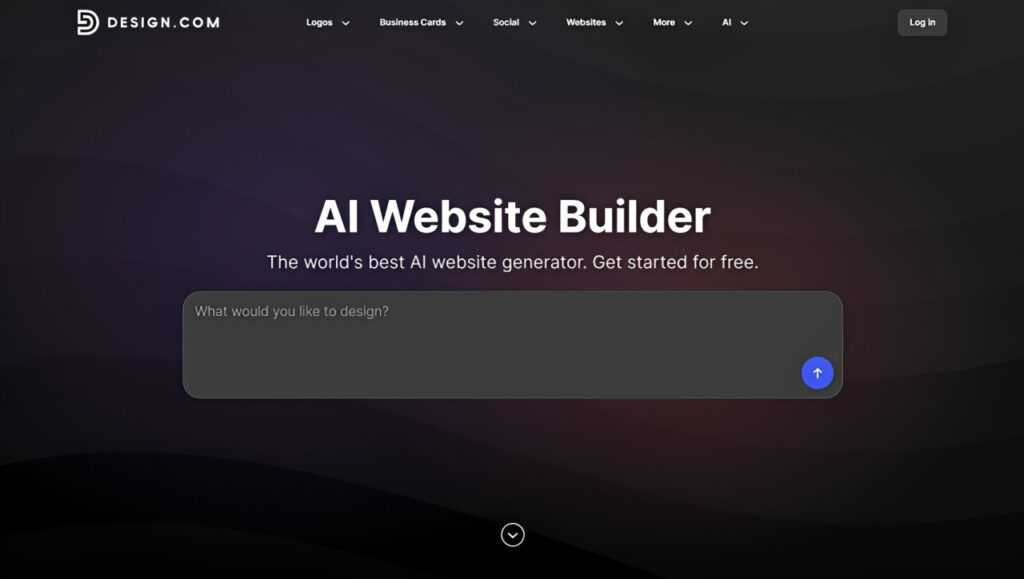
Design.com’s AI website builder lets you create a complete website with just a prompt, which includes your business name and a description of the website you’d like to build. Within seconds, the platform’s AI will generate thousands of website designs tailored to your industry — and they already come with images, copy, layouts, and pages.
You can browse through the results, choose your preferred design, and customize it using Design.com’s drag-and-drop editor. Here are some sample websites generated by Design.com:
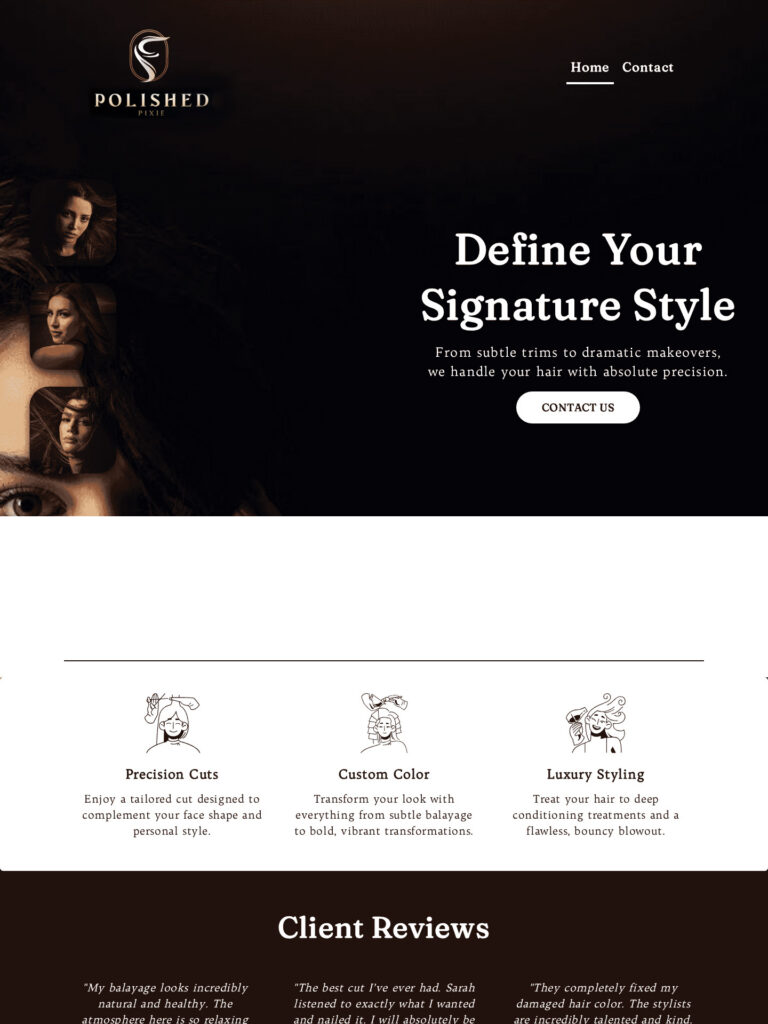
Beauty Hair Salon by Design.com
https://www.design.com/website-builder/beauty-hair-salon-10411338/details (Business Name: Polished Pixie, no slogan)
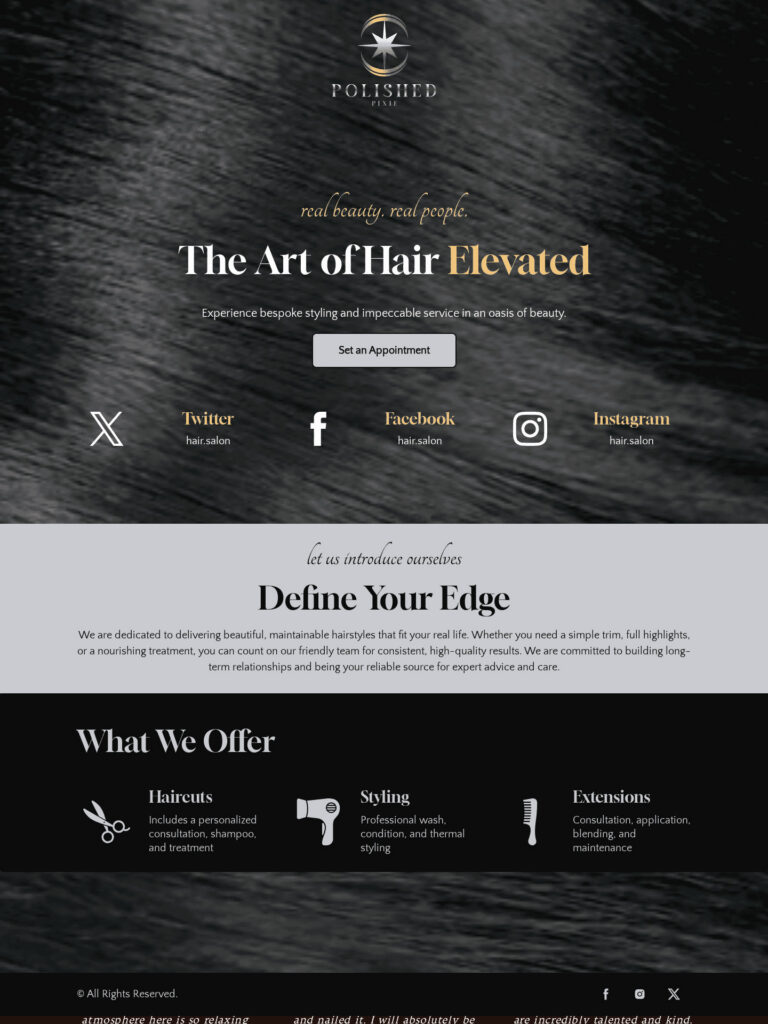
Hair Beautician Salon by Design.com
In addition, the platform lets you upload your existing logo to ensure your website will be visually consistent with your brand. If you have no brand logo, Design.com also includes an AI logo generator you can use to create one. The platform automatically applies your logo to your website along with its colors and fonts.
Key features:
- AI website generation: Creates complete website designs from a prompt with your business name, description, or keywords.
- 4,000+ website templates: Offers 4,255 professionally designed website templates across a wide range of industries and business types.
- Multiple design variations: Generates thousands of website options at once so you can compare and shortlist designs before editing.
- Flexible visual editing: Customize fonts, colors, layouts, sections, gradients, shapes, and other visual elements without coding using a beginner-friendly drag-and-drop editor.
- Essential business features: Supports contact forms, lead capture, image galleries, video embedding, and social links.
- Brand synchronization: Works alongside Design.com’s 50+ branding tools — including AI business card generator, AI flyer generator, AI poster generator, and AI social media generator — to keep your website consistent with your visual identity.
- Responsive design: Automatically optimizes websites for desktop, tablet, and mobile devices.
- Built-in hosting and publishing: Hosting is included, and completed websites can be published directly through Design.com with just one click after customization.
Things to consider:
- The free plan supports up to 3 pages, making it most suitable for testing the builder or creating a relatively simple website.
- Features such as unlimited pages, a custom domain connection, full editor access, email capture, galleries, and payment acceptance require a paid plan.
Pricing: Design.com offers a free plan with hosting, up to three pages, a contact form, video embedding, and maps integration. The paid plan costs $9/month (billed monthly) or $6/month (billed annually). It adds unlimited pages, a custom or branded URL, a custom-domain connection, full editor access, email capture tools, image galleries, and payment acceptance.
2. BrandCrowd
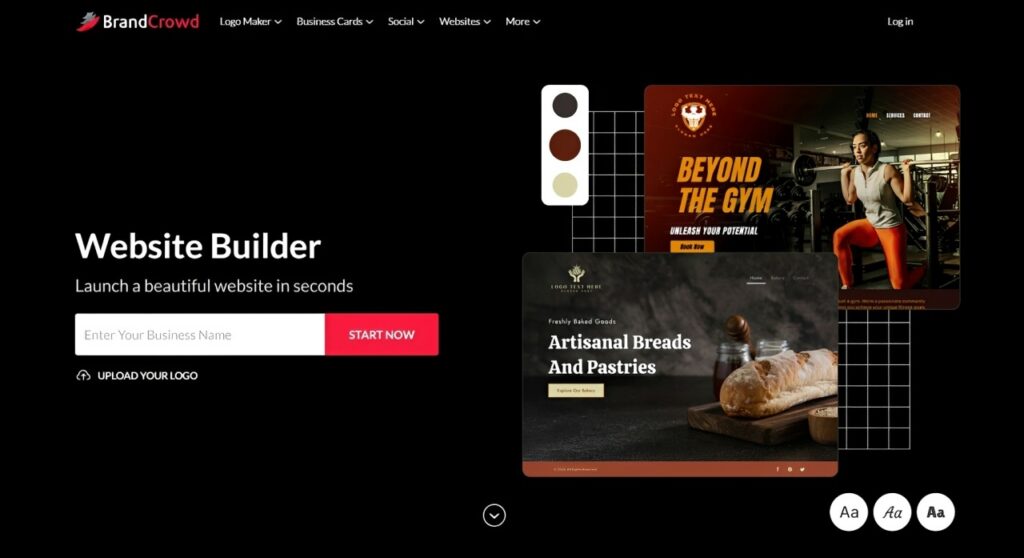
Best for: Beginners and small businesses looking to build a brand and website together quickly, easily, and affordably.
BrandCrowd’s AI-powered website builder instantly generates multiple website designs based on your business name and industry. All options include layouts, pages, images, and website copy that you can customize using the platform’s drag-and-drop editor, designed for users with no coding or design experience. Here are some sample website designs by BrandCrowd, using the same fictional company above:


However, BrandCrowd’s main appeal comes from its connected workflow. If you’re starting completely from scratch, you can use the platform’s logo maker to generate a logo for your business and build a complete visual identity from there. BrandCrowd automatically syncs your finished logo across all templates on the same platform, letting you create marketing materials without any manual work.
Key features:
- AI-assisted website creation: Generates ready-to-edit website layouts based on your business name and industry.
- Customizable templates: Provides professionally designed, industry-specific templates that can be adapted to your brand.
- Visual website editor: Edit content, backgrounds, logos, layouts, images, videos, and other page elements without coding.
- Integrated branding: Apply your own logo or one created with BrandCrowd and coordinate it with your website and other brand assets.
- 50+ design tools: Create supporting materials such as business cards, presentations, letterheads, email signatures, social media graphics, and other marketing assets alongside your website.
- Business essentials: Supports features such as contact forms, lead capture, image galleries, video embedding, and social links.
- Hosting, publishing, and responsive design: Hosting and publishing are included, and website layouts are designed to work across different device sizes.
Things to consider:
- The free website plan is limited to three pages and a reduced set of editor features.
- Businesses that need unlimited pages, custom-domain connection, payment acceptance, or the complete editor will need the paid website plan.
Pricing: BrandCrowd offers a free website option with hosting for a basic site of up to three pages. Its professional website plan costs $9/month (billed monthly) or $6/month (billed annually), with features including unlimited pages, custom domain integration, full editor access, email capture, galleries, and payment acceptance.
3. Wix
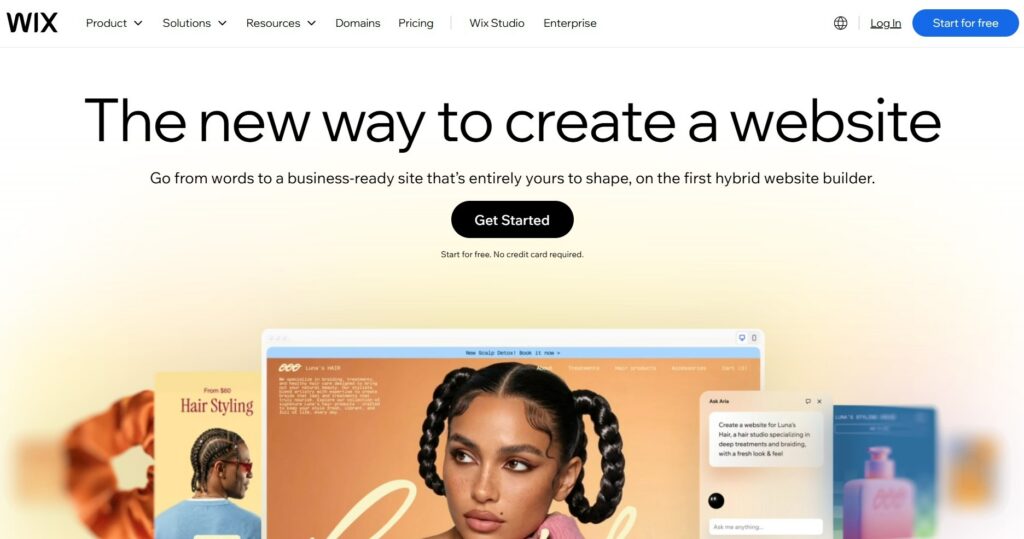
Best for: Beginners who want extensive design freedom without giving up AI-assisted website creation.
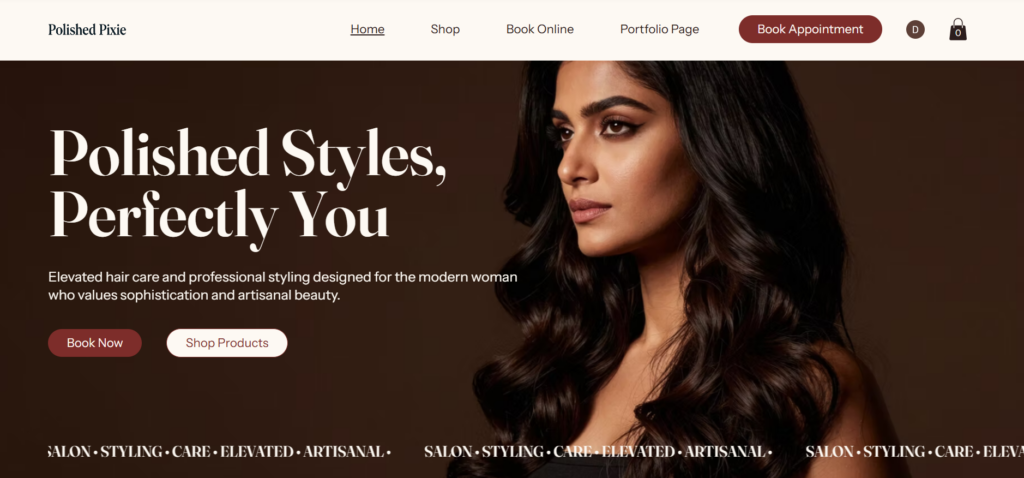
When it comes to fast website creation, Wix has been one of the most reliable platforms. It lets you build your website using AI, templates, and advanced design and dev tools. For the AI option (Wix Harmony), just provide your prompt, answer some questions, and have Aria (Wix’s AI assistant) put the website together for you. Here’s what we got for our fictional hair salon:
Key features:
- AI website creation: Wix Harmony can generate a starting website from natural-language instructions and lets you continue refining it manually.
- Flexible visual editing: Drag-and-drop controls and AI editing provide detailed freedom over the placement and appearance of page elements.
- 2,000+ templates: Offers business-ready templates across ecommerce, portfolios, blogs, landing pages, real estate, and other categories.
- Built-in business tools: Supports ecommerce, scheduling, lead management, blogging, events, payments, courses, and other business use cases.
- SEO and marketing tools: Includes SEO guidance alongside email marketing, social media, advertising, analytics, and other growth tools.
- Hosting and security: Website hosting and security infrastructure are handled within the Wix platform.
Things to consider:
- Wix offers a variety of design and business options, so beginners looking for a highly guided experience may need more time to become familiar with everything available.
- Accepting payments and accessing more advanced ecommerce functionality requires an eligible paid plan.
Pricing: You can start building with Wix for free. Paid plans add features such as a custom domain, additional storage, marketing capabilities, payments, ecommerce, and scheduling. Wix displays prices according to location and billing terms, so check its current pricing page before choosing a plan.
4. Squarespace
Best for: Beginners who want a polished, design-focused website with plenty of built-in business features.
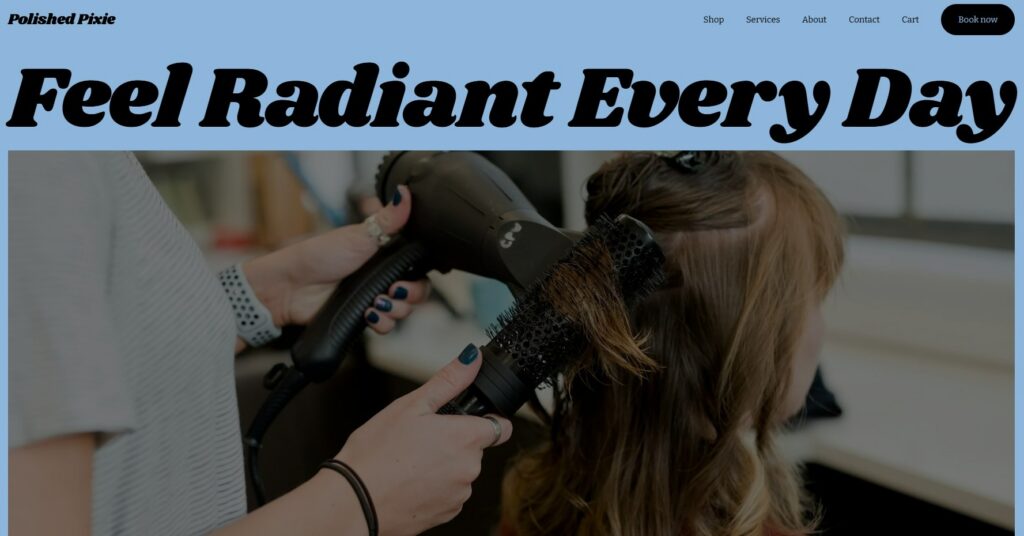
Squarespace lets you build websites by letting you choose your industry and features before asking you to choose a template or generate using the platform’s Blueprint AI Builder. The platform also lets you choose your preferred typography and color schemes before taking you to the visual editor, where you can customize the website to suit your needs. Here’s the website generated by Squarespace’s Blueprint AI for Polished Pixie:
Key features:
- AI tools: Current plans include AI capabilities and credits for assisting with website creation and content.
- Beginner-friendly editing: Lets you customize pages visually without writing code.
- Mobile optimization: Squarespace websites are designed to adapt across different screen sizes.
- SEO tools: Built-in tools help users manage basic search optimization.
- Business and selling tools: Supports payments and product or service sales, with capabilities varying by plan.
- Website analytics: Basic website metrics are included, with additional capabilities available depending on the plan.
Things to consider:
- Its structured design system may feel less flexible if you want highly granular control over every element of a page.
- Selling features, transaction fees, and other commerce capabilities differ across the Basic, Core, Plus, and Advanced plans.
Pricing: Squarespace offers a 14-day free trial rather than a permanent free website plan. Its current website subscriptions are divided into Basic, Core, Plus, and Advanced tiers, with annual billing offered at a lower effective monthly rate than month-to-month billing.
5. GoDaddy
Best for: Beginners who want to turn a simple prompt into a website quickly while keeping domains, hosting, and other business tools within the GoDaddy ecosystem.
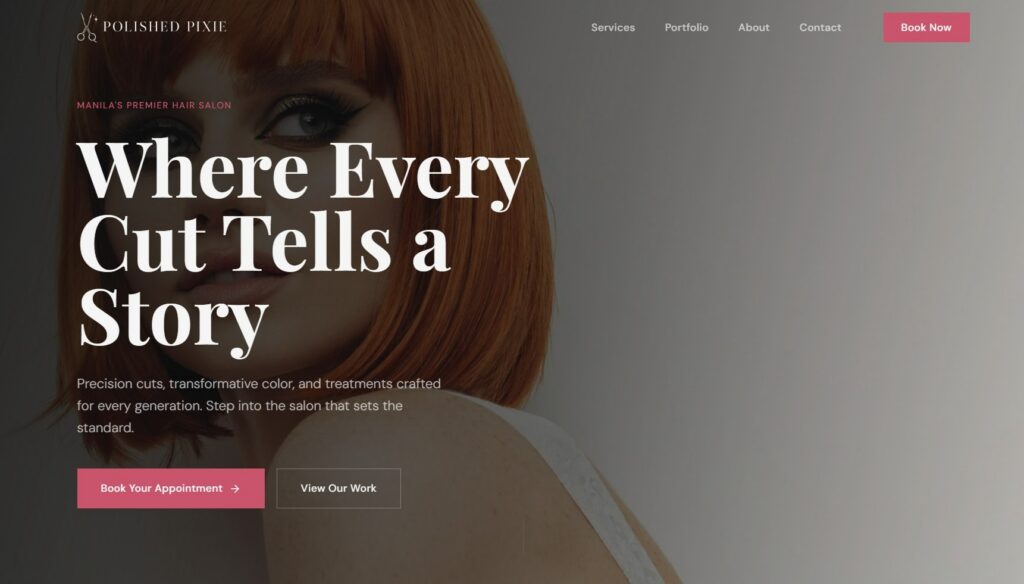
GoDaddy’s Airo AI Builder brings the platform beyond its traditional template-based website builder. Now, you can start building your website with a prompt and by answering questions regarding your business. This lets Airo generate your pages, sections, copy, and images, which you can customize and launch afterward. Here’s a website built by GoDaddy’s Airo AI Builder:
Key features:
- Prompt-based AI building: Generates a starting site—including pages, sections, copy, and imagery—from natural-language instructions.
- AI-assisted editing: Lets you refine the layout, visuals, and content manually or by continuing to give the AI instructions.
- Built-in hosting and deployment: Hosting, SSL, forms, and deployment are integrated into the platform.
- Custom-domain support: Published projects can be connected to a custom domain.
- Beyond basic websites: Airo can also create online stores, booking systems, dashboards, web apps, and other interactive projects.
- Code access: Although coding isn’t required, users who want additional control can view and edit the generated code.
Things to consider:
- Airo AI Builder uses a credit system, so the amount of AI-powered building and editing available depends on your plan and remaining credits.
- GoDaddy also offers its more traditional Website Builder, so beginners should check which GoDaddy building experience and plan best matches what they want to create.
Pricing: GoDaddy’s Airo AI Builder has a free tier with 50 AI credits per month and one published project. Its paid Starter plan is currently listed at $9.99 per month (billed annually), with higher tiers increasing AI credits and the number of published projects. Pricing and promotions can vary by market.
6. SITE123
Best for: Beginners who want a simple, guided way to create a website without needing to design the layout themselves.
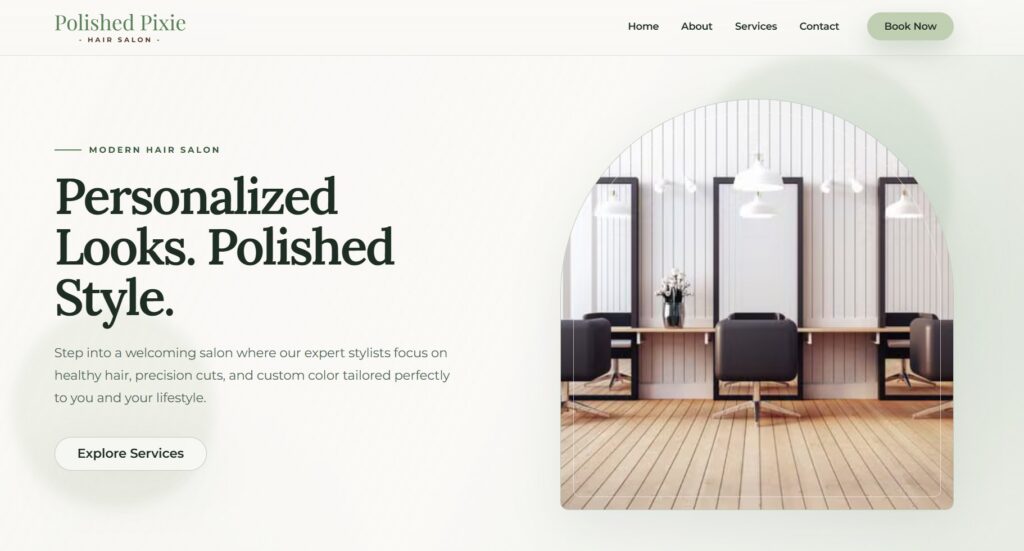
SITE123 takes a structured approach to website building by handling much of the website structure and design for you. You can start generating your website by choosing your industry and providing your business name, making it an approachable option for first-timers. Here’s the Polished Pixe website that SITE123 generated:
Key features:
- Guided website creation: Generate your website by selecting your website type and industry, and adding your business name.
- Responsive design: Websites automatically adapt to desktop, smartphone, and tablet screens.
- Free hosting: Hosting is included, so you don’t need to arrange a separate web hosting provider.
- SEO tools: Includes built-in tools to help you configure your website for visibility.
- Built-in business tools: Supports online stores, blogs, appointment scheduling, restaurant reservations, events, forms, galleries, and other common website needs.
Things to consider:
- SITE123 prioritizes simplicity over free-form design, so it may not be the best fit if you want precise control over the placement and layout of individual elements.
- Some additional capabilities, including certain plugins and advanced business features, depend on your package.
Pricing: SITE123 offers a free plan with 250 MB of storage, 250 MB of bandwidth, hosting, and a SITE123 subdomain. No credit card is required, and free websites can remain active indefinitely. Premium plans add features such as custom-domain connection, additional storage and bandwidth, removal of SITE123 branding, and ecommerce functionality. SITE123 currently offers custom-domain connection from $12.80 per month with an annual plan paid upfront.
7. Webflow
Best for: Beginners who want to learn more advanced visual web design and are willing to accept a steeper learning curve in exchange for greater control.
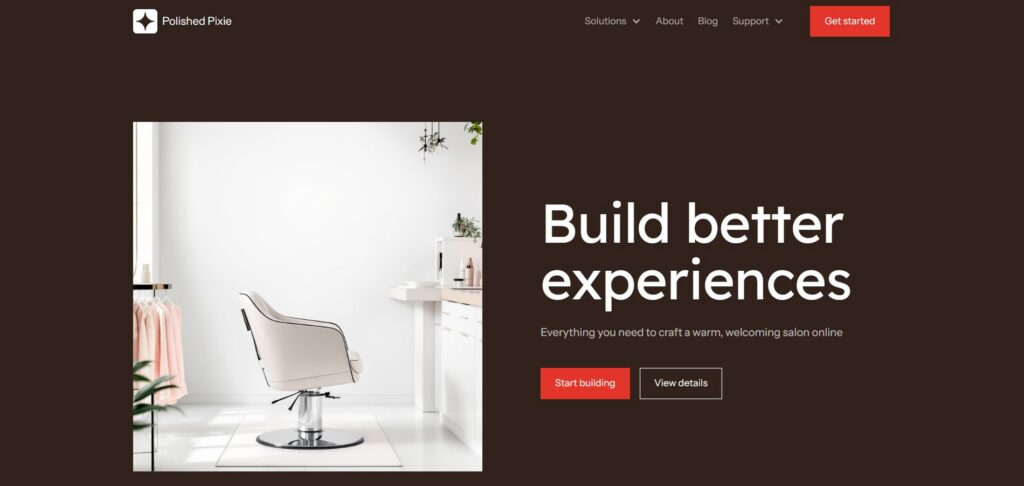
Webflow sits closer to professional web design tools than many of the beginner-focused builders on this list. Nevertheless, its AI site builder lets you generate a complete website based on your prompt. The platform immediately generates all the pages with layouts, images, and copy. Here’s what Webflow came up with for our sample business:
Key features:
- AI website generation: Turns a prompt into a customized starting website and generates additional sections as you build.
- Advanced visual design: Provides extensive control over layouts and styling without requiring you to hand-code the entire website.
- Built-in CMS: Supports structured, dynamic content like blog posts, directories, projects, and other collections.
- AI content and components: Uses AI to generate copy, CMS content, sections, and reusable code components.
- SEO controls: Offers metadata controls and additional SEO and AI search optimization capabilities.
- Hosting: Webflow Site plans include managed hosting, with bandwidth and other limits varying by tier.
Things to consider:
- Webflow’s additional control comes with more concepts to learn, making it less immediately approachable than highly guided website builders.
- Its pricing structure separates Site and Workspace considerations, and CMS requirements affect which Site plan you’ll need, so beginners should review the plan differences carefully.
Pricing: Webflow lets you start for free on its Starter Site plan, which uses a Webflow.io domain and supports two static pages. The Basic Site plan is currently $15 per month when billed yearly and supports a custom domain and up to 300 static pages. Content-rich websites that need Webflow’s full CMS require an appropriate CMS-enabled plan.
10 Website Builder Features Beginners Should Look For
As seen on the best website builders list, these platforms can have long feature lists. But for beginners, it’s okay to forego most advanced tools first. It’s more important to focus on the features that will make your website easier to build, manage, and grow.
1. Easy-to-use editor
A good website builder should let you customize your website without coding. Depending on the platform, you may encounter a drag-and-drop editor, a section-based editor, or an AI-assisted editing experience. Regardless of which editor you use, the important thing is that you can add content, rearrange sections, change styles, and update your pages on your own without hassle.
2. Professional templates
Starting with templates is better than starting from scratch. You won’t have to think and decide where and how to place the headers, images, and buttons. Look into the quality of each platform’s templates and check if they’re customizable and suit the type of website you want to create. Keep in mind that each business has different content and layout needs.
3. Mobile-responsive design
Nowadays, many people visit websites using smartphones and tablets. Responsive website design automatically adjusts the layout to suit different screen sizes. Most website builders already have this feature. Still, check how your website looks on different devices before publishing. Pay attention to the navigation menus, text, images, forms, and buttons.
4. Custom domain support
Website builders’ free tiers often publish your site on a platform-branded domain. That’s good if you’re still testing the waters. But once you’re ready to launch your site, it’s good to have your own domain. Hence, check if the platform you choose lets you purchase a domain or connect to the one you already own.
5. Built-in hosting
Most website builders already include hosting as part of their service, so you won’t have to look and choose a separate hosting provider. This removes another technical decision from the setup process. Just be wary of storage, bandwidth, backups, and other hosting-related allowances, as they can vary between platforms and plans.
6. SEO tools
Search engine optimization (SEO) helps search engines understand your pages and can improve their chances of appearing for relevant searches. However, you don’t need a sophisticated suite of SEO tools to get started. Just focus first on the basics, such as:
- Page titles
- Meta descriptions
- Page URLs
- Image alt text
- Sitemap generation
- Search indexing settings
7. E-commerce features
If you plan to sell products or services online, choose a website builder that supports the type of selling you want to do. In addition, check transaction fees, product limits, supported payment methods, and which subscription tier unlocks ecommerce. Depending on your business, useful e-commerce features might include:
- Product pages
- Shopping carts
- Online payments
- Inventory management
- Shipping options
- Discounts and promotional codes
8. Analytics and integrations
Some website builders include analytics. They’ll provide you with visitor numbers, traffic sources, popular pages, and conversions. In addition, you may also want to consider integrations with other tools, such as email marketing platforms, booking systems, payment services, customer relationship management (CRM) software, and social media.
9. Branding and design tools
While you can start with a template or AI-generated design, your website should still look like it belongs to your business. Hence, look for control over elements such as:
- Logos
- Brand colors
- Fonts
- Images
- Page styles
You can also opt for platforms that are connected with broader branding tools. This makes it easier to maintain a consistent identity across your website, social media graphics, business cards, and other marketing materials.
10. Room to grow
Your website should expand as your business grows. So, before choosing a builder, check its:
- Page limits
- Storage and bandwidth
- Available integrations
- E-commerce limits
- Contributor or user limits
- Higher-tier plans and features
While you don’t need to purchase all advanced functionality immediately, it’s good to ensure that you can easily update your website in the future.
Free vs. paid website builders: Which should you choose?
While many website builders offer free tiers, they come with restrictions that may hold you back when creating a site for your business. Hence, free plans are usually more useful when you’re testing how the platforms work.
What you usually get with a free website builder
Website builders offer varying free plans, but they commonly provide enough functionality that can help you create and experiment with a basic website. Depending on the platform, you may get:
- Free templates or AI-generated designs
- Basic access to the website editor
- Website hosting
- A platform-branded subdomain
- Limited pages, storage, or bandwidth
- Basic forms or other website features
It’s also important to differentiate a free plan from a free trial:
- Free plans: Let you keep using the website’s basic version indefinitely.
- Free trials: Give you access for a limited period of time before requiring you to choose a paid plan.
When a free website builder is enough
Despite the limitations of a free plan, you don’t necessarily have to upgrade to a paid subscription. A free plan can still be a good choice if you’re:
- Learning how website builders work: Experiment with different workflows, templates, editors, and website structure to compare platforms before committing financially.
- Testing a business or website idea: Create an early version before deciding whether the project warrants a larger investment.
- Working on a personal project or experimental site: Launch an informal website that doesn’t require custom domains or advanced features.
When it’s worth paying
For business websites, upgrading to a paid subscription becomes worthwhile once the limitations of the free plans start getting in the way. Here are factors why you should consider a paid plan:
- Use your own domain: A custom address gives your website a dedicated, branded home online.
- Remove platform branding: Paid plans remove website builder logos, banners, or other branding from your site.
- Access more advanced features: Ecommerce, payments, appointment booking, lead capture, analytics, marketing tools, and third-party integrations are usually limited to certain paid plans.
- Give your website room to grow: Paid plans typically provide higher limits for pages, storage, bandwidth, and other resources, giving you more capacity as your website and business grow.
It’s not necessary to get everything if you’re just starting. A practical approach is to upgrade when you need the additional functionality.
Free vs. paid website builders
| Feature | Free Plans | Paid Plans |
| Website editor | Usually included, sometimes limited | Full or expanded editing features |
| Hosting | Often included | Usually included |
| Web address | Usually a platform subdomain | Custom-domain support commonly available |
| Platform branding | Often displayed | Usually removable |
| Storage and bandwidth | More limited | Higher allowances |
| E-commerce | Limited or unavailable | Available on eligible plans |
| Marketing tools | Basic or limited | More advanced options |
| Integrations | Limited | Broader access |
| Best for | Testing, learning, and simple projects | Professional, business, and growing websites |
Look beyond the subscription price
If you decide to subscribe to a paid plan, it’s easy to just go for the website builder with the cheapest plan. Depending on what website you’re building, your overall website budget could also include:
- Premium templates or assets: Certain designs, images, or other assets in some website builders may cost extra.
- Additional features and services: E-commerce, payment processing, apps, integrations, email marketing, analytics, scheduling, CRM, and other business tools may require a higher-tier plan, separate subscription, or additional fees.
- Domain registration: A custom domain may be included temporarily, included with certain plans, or charged separately.
- Business email: A business email address isn’t always included with your website subscription.
Once again, you probably won’t need all of them. If you’re creating a simple business website or portfolio, you may only need a website plan and custom domain. However, if you’re launching an online store, you’ll need to consider additional functions and their costs.
Monthly vs. annual billing
There are website builders that offer a lower effective monthly fee if you subscribe to their annual plan. However, getting the monthly plan provides greater flexibility if you’re still deciding which platform is best for your business. Check the prices carefully before upgrading so you won’t accidentally subscribe to their annual plan.
Before subscribing, check the following:
- The total amount due at checkout
- Whether the advertised price is promotional
- How long the introductory price lasts
- The renewal price
- What features are included at that tier
- Whether a domain is included and for how long
- Whether you can upgrade or downgrade later
10 website builder mistakes beginners should avoid
While website builders make creating sites easier, they don’t keep you from making mistakes. So before you publish, it’s up to you to make your website foolproof. Here are some of the common issues you need to watch out for:
1. Choosing a builder based only on price
The cheapest option doesn’t always guarantee the best value. This is especially true if the website builder doesn’t have the features your website needs. Identify your website’s requirements first, check the list of features, then pick the option that fits your budget.
2. Choosing a template before defining your goal
If a website builder requires you to choose a template, don’t choose based on what looks good. Instead, pick the template that will suit your content and goals.
3. Using too many fonts and colors
Stick to an intentional color palette and a set of readable fonts throughout your website. It’s better if they’re consistent with your branding. Otherwise, your website will feel cluttered and inconsistent.
4. Overloading pages with content
While having a website with content is good, ensure that you organize it properly to avoid overwhelming your visitors. You can break all the information into clear sections, use descriptive headings, and arrange them according to what your visitors need to know first.
5. Ignoring the mobile experience
A website that looks good on a desktop can still have problems on mobile devices. So, preview your website on mobile to see if the text is readable, menus work, buttons are easy to tap, and important content isn’t cut off.
6. Forgetting clear CTAs
Visitors shouldn’t spend too much time figuring out how to use your website. If you’re allowing them to book appointments, get quotes, purchase your products, or send you messages, you should use clear CTAs and place them where visitors can see them.
7. Using poor-quality images
Avoid using blurry, stretched, or badly cropped images that can put off your visitors. Instead, upload clear, appropriately sized images and check how they’re displayed across different screen sizes.
8. Ignoring basic SEO
Before publishing your website, don’t forget about SEO fundamentals that help search engines understand your pages. These include descriptive page titles, meta descriptions, URLs, headings, and image alt text. But these are just the basics. You still need a broader SEO strategy to improve visibility.
9. Publishing without testing
Test your navigation, buttons, links, forms, bookings, payments, and other interactive features before sharing your website publicly. Don’t assume everything works just because it looks right in the editor and preview.
10. Making navigation too complicated
Visitors shouldn’t need to spend too much time searching for your services, products, about page, and contact information. Use familiar labels, keep your navigation simple, and ensure essential pages are easy to find.
Website vs. social media: Do you need both?
If you already have social media accounts like Instagram and Facebook, you’re probably wondering if you still need a website. While they overlap in certain areas, social media and websites still serve different purposes, and they often work best together.
Social media vs. websites
| Social Media | Website |
| Quick to set up | Requires more initial setup |
| Provides access to an existing audience | Gives your brand a dedicated online destination |
| Makes frequent posting and engagement easy | Organizes important information in one place |
| Offers limited control over design and layout | Gives you greater control over design and structure |
| Visibility can depend on platform algorithms | Visitors can access your site directly |
| Well-suited to discovery and conversation | Well-suited to leads, bookings, sales, and other conversions |
It’s not necessary to choose between the two. A potential customer might come across your business through a social media post, then visit your website after to learn more about your brand. Hence, the strongest approach is to use social media to attract and engage an audience and a website to give that audience somewhere to take the next step.
Website builder vs. hiring a web designer: Which to choose?
Before website builders, businesses often hired website designers or developers to build their websites. Both approaches can be effective. The best option really depends on your budget, timeline, website requirements, and how much of the building and ongoing management you want to handle yourself.
Choose a website builder if:
- You want to keep costs manageable: Website builders use a subscription model, making them accessible for individuals and small businesses with limited budgets.
- Your website needs are relatively straightforward: Website builders feature functionality needed for most business websites, portfolios, blogs, landing pages, and many online stores.
- You want to launch quickly: Website builders help users save time on setup with their templates, AI-generated designs, and built-in tools.
- You want to manage the website yourself: Website builders’ editors make it easier to update text, images, products, pages, and other content.
Consider a web designer or developer if:
- You need a highly customized website: A professional can create a complete experience around specific design or functionality requirements that may be too much for website builders.
- You require complex integrations: Websites that need to connect with specialized internal systems, databases, APIs, or business software may require custom development.
- You have unusual technical requirements: A developer can handle functionality that falls outside what standard website builders support.
- Your website has complex performance or scalability requirements: Large or technically demanding websites benefit more from a custom approach and specialized development expertise.
Website builder vs. web designer or developer
| Factor | Website Builder | Web Designer or Developer |
| Cost structure | Usually subscription-based | Usually project-based, with possible ongoing costs |
| Setup | Designed for DIY website creation | Built for you or in collaboration with you |
| Time to launch | Can be relatively fast | Depends on project scope and complexity |
| Customization | Within the builder’s available tools and integrations | Greater potential for custom design and functionality |
| Technical knowledge | Little to none required for basic use | Technical work is handled by the professional |
| Ongoing updates | Routine changes can usually be made yourself | Depends on how the site is built and handed over |
| Best suited for | Straightforward websites and DIY users | Complex, highly customized, or specialized projects |
You don’t have to choose one and stick with it forever. If you’re just starting, you can create using a website builder and launch your business online right away. As time goes by, you can seek a website designer or developer to help scale your site to catch up with your growing business.
Your first website doesn’t have to be complicated
Building a website comes with plenty of decisions. Fortunately, website builders have reduced much of the technical work. They provide all the essential tools for creating pages, customizing design, adding features, and publishing a website without having to create anything from scratch.
Start by identifying the things you want your website to accomplish. This can help you choose the right platform that fits your needs, budget, and workflow. Start small with essential pages and basic features before upgrading your website with all the tools your business and visitors will need.
Ready to create your first website? Turn your idea into a complete, ready-to-customize website with Design.com.
Read more about design here:
Dianne Claveria writes SEO-driven content focused on digital marketing and technology. She’s passionate about exploring new tools and trends and sharing insights that help readers stay ahead. Outside of writing, she enjoys traveling and photography.