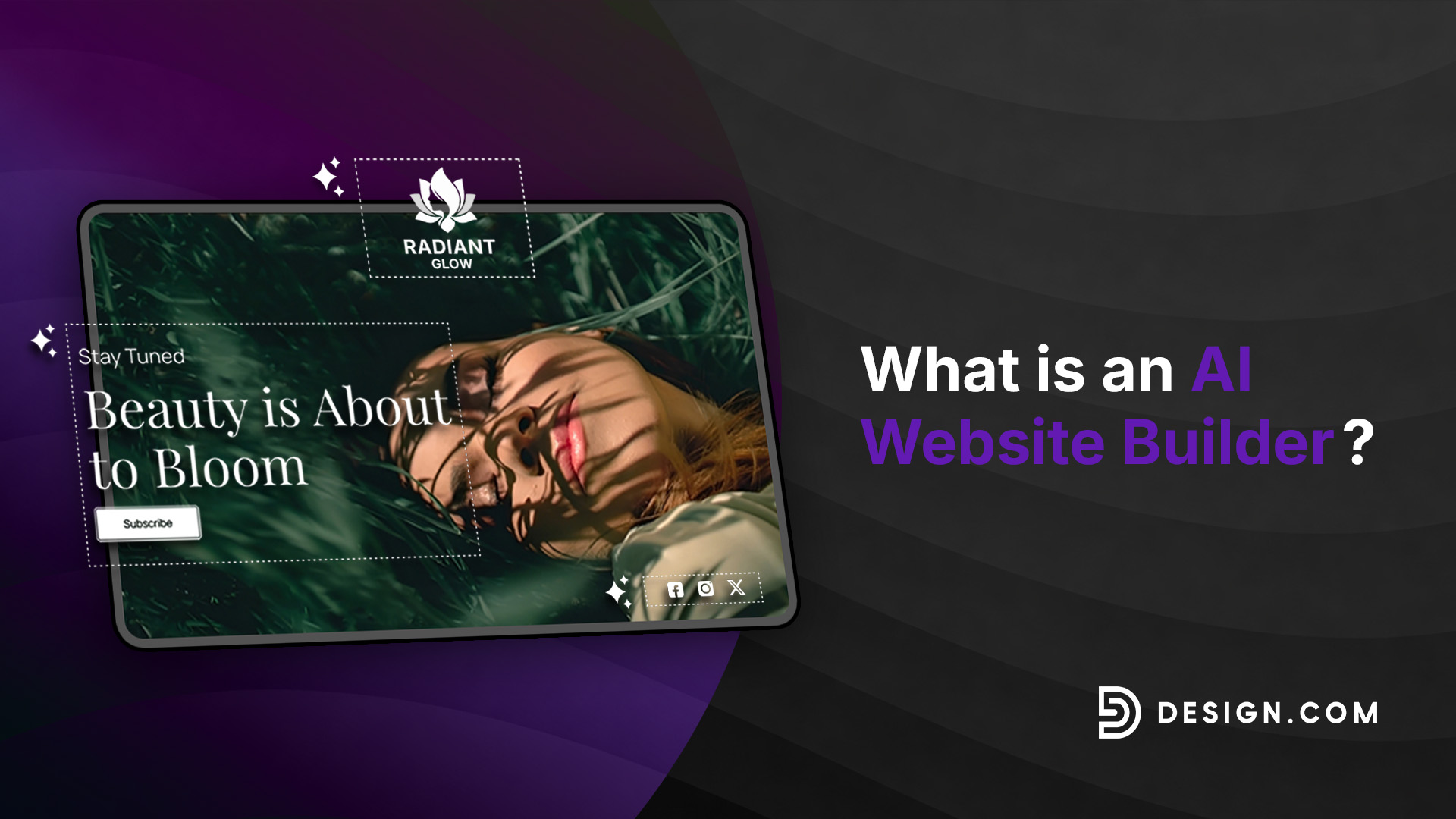
What Is an AI Website Builder?
Want to create a website but don’t know where to start?
Building a website used to mean learning how to code, hiring a web designer, or spending hours putting together every page yourself. Today, AI website builders can make the process much easier.
With an AI website builder, you can enter a few details about your business and use artificial intelligence to generate website designs in seconds. You can then choose a design you like, customize it, and publish your website when you’re ready.
And if you’re starting a business, you may also need logo design to give your website a recognizable visual identity. Some platforms combine AI website building with logo design, so you can create both without needing to use separate design tools.
In this guide, we’ll explain what an AI website builder is, how it works, and how you can use one like Design.com to create a website for your business.
What is an AI website builder?
An AI website builder is a tool that uses artificial intelligence to help you create a website.
Instead of manually choosing every element of a website, you can provide information such as:
- Business name
- Industry
- Business description
- Target audience
- Website goals
- Pages you need
- Preferred colors
- Visual style
- Features you want to include
The AI uses this information to generate a website draft with a suggested structure, design, content, and other elements.
The result is usually a working starting point rather than a finished custom website. You can then edit the content, replace images, change colors and fonts, rearrange sections, and make other adjustments.
Many AI website builders are no-code or low-code tools designed for people without development experience. Some rely heavily on professionally designed templates and components, while others generate layouts more freely or even generate code.
Once your website has been generated, you can still edit the text, images, colors, fonts, layouts, and other elements to make it your own.
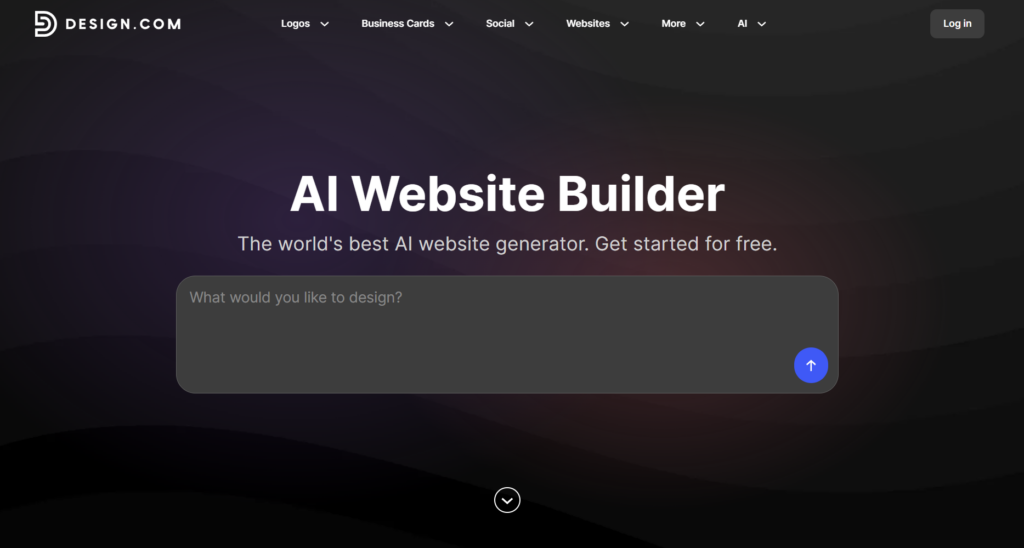
Design.com’s AI Website Builder, for example, lets you enter your business name and details to generate website options. You can then refine your input with relevant keywords to explore different results.
For example, a bakery owner might enter a business name, and they could get these results:
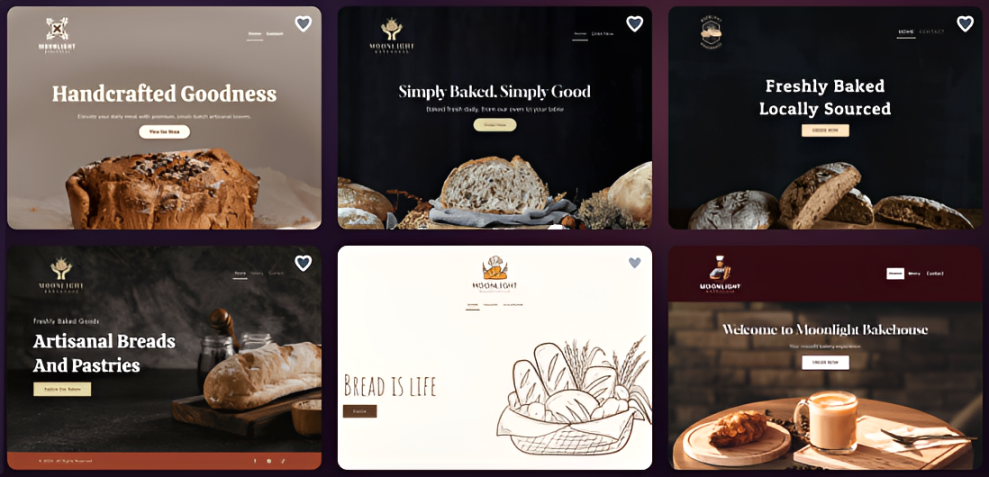
The builder could then assemble a homepage, an about section, a menu, a contact form, images, and calls to action as a starting point.
How does an AI website builder work?
The exact process will vary from one platform to another, but most AI website builders follow a similar process.
1. It collects information about the website
First, you’ll need to give the AI some information to work with.
This could be as simple as entering your business name. You may also be able to add keywords or describe what your business does.
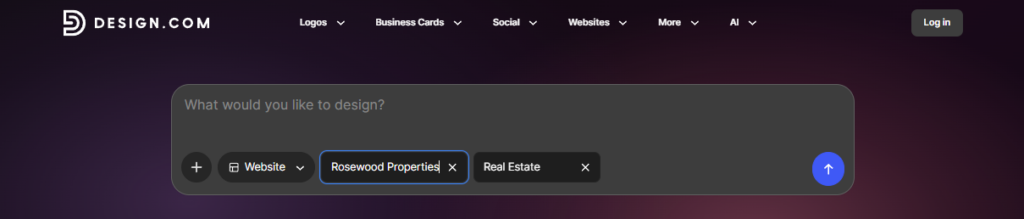
For example, if you were creating a website for a real estate agency, you might enter your business name along with keywords related to property, luxury homes, or real estate services.
The more useful information you provide, the easier it can be to find a website style that fits your business.
2. It interprets your input
The AI analyzes the information you provide and uses it to determine what type of website and content might be appropriate.
Rather than choosing a single template before you begin, you can explore different designs, styles, and layouts based on your business or keywords.
Here are some of the website templates from Design.com after entering a fictional business name, Rosewood Properties, and setting the keyword to real estate:
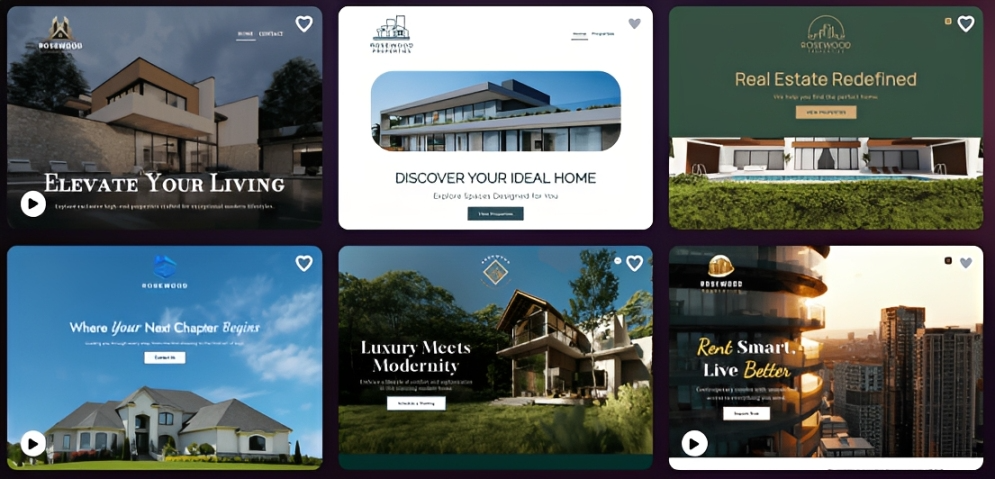
With Design.com, you can generate and browse different website options based on your business name or prompt. If you don’t see a design you like, you can adjust your description or keywords and generate more options.
3. It assembles a website draft
The AI then creates a starting point.
Once you have a selection of designs, choose the one that feels closest to what you had in mind.
You don’t need to find a website that is perfect straight away. Think of the generated design as your starting point.
You can also save or shortlist designs you like before deciding which direction to take.
4. Customize your website
This is where you make the website your own.
Most website builders allow you to edit the main parts of your design, including:
- Text
- Images
- Colors
- Typography
- Layouts
- Spacing
- Visual elements
- Website pages
Design.com’s website editor lets you customize fonts, colors, layouts, spacing, and other design elements after choosing a website.
See how Design.com lets you customize your chosen website template:
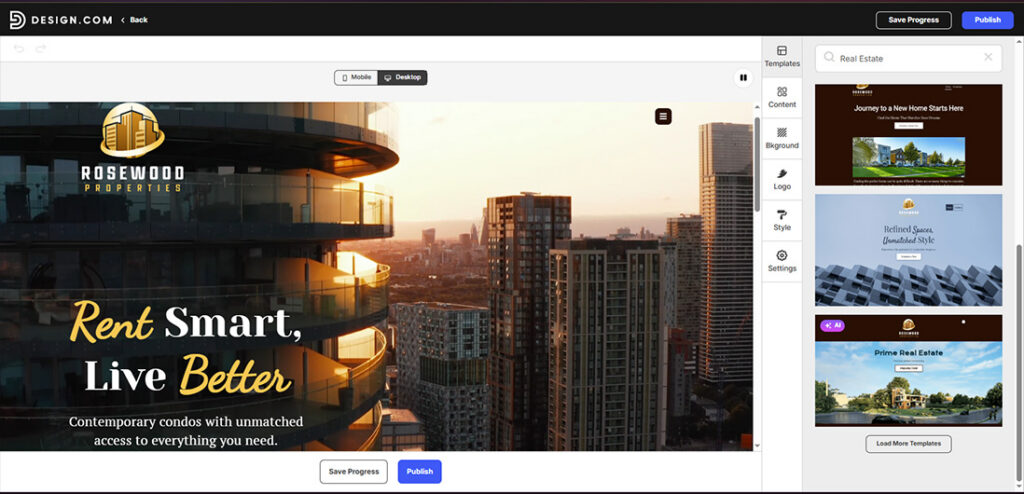
Choose the best template for your website
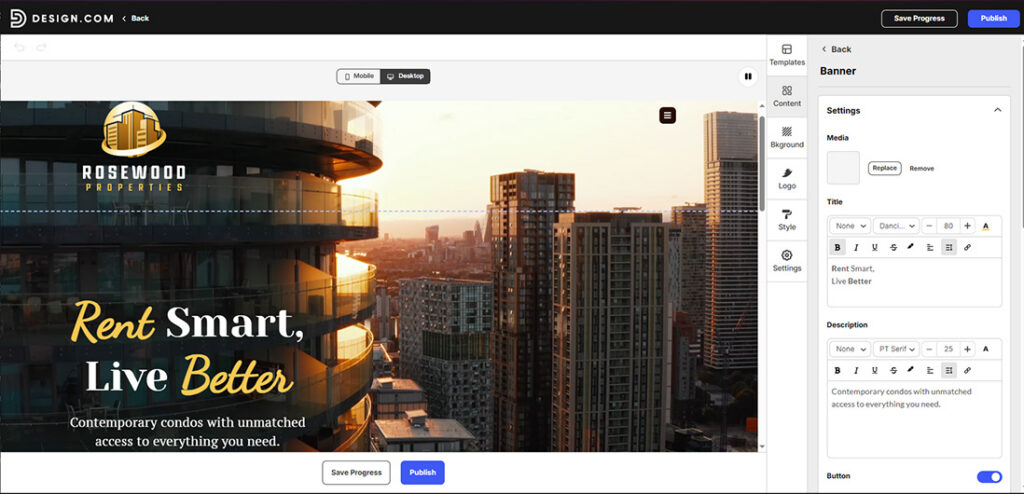
Customize the shown text on your website
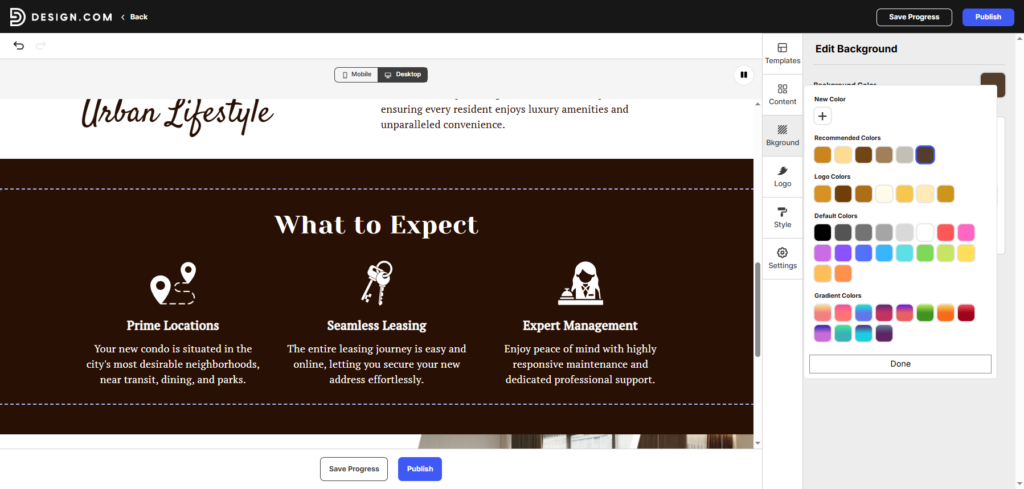
Change the background color of any section of your website
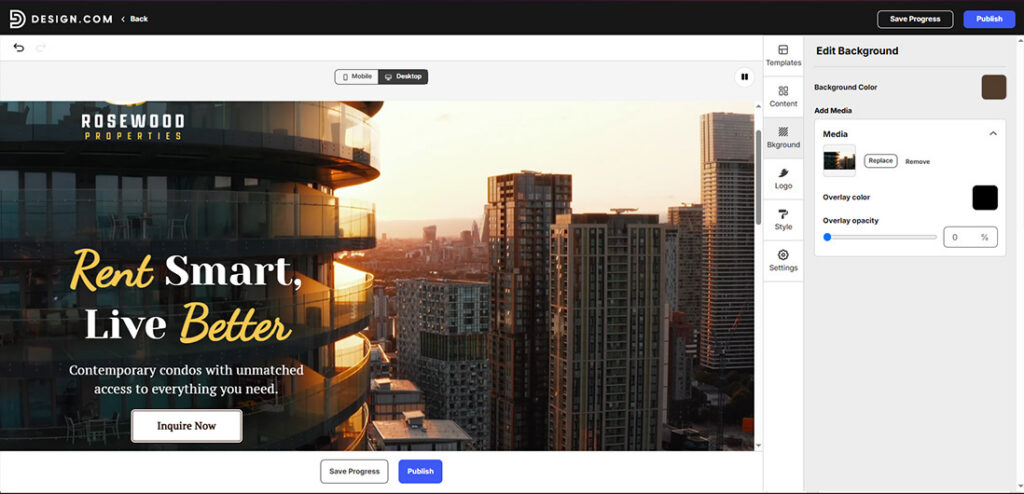
Change the media
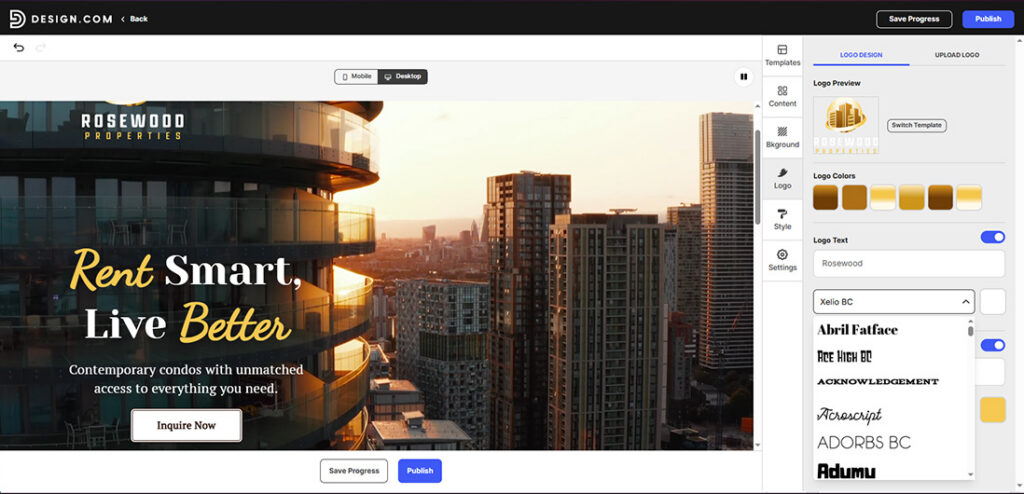
Change the logo colors and fonts of your website
Tip: You can also add your own logo to the website. If you don’t have one, feel free to generate one using our AI Logo Generator and have a real estate logo in just a few seconds!
5. The site is tested and published
Once you’re happy with your website, the final step is to publish it.

Your website can then be shared with customers and accessed across different devices. Generated websites from Design.com are responsive and can be published with hosting included, with the option to use a custom domain or a Design.com URL.
What can AI generate for a website?
AI website builders can automate many parts of website creation, but you shouldn’t assume every platform provides the same features.
| Website Element | What AI May Do | What You Must Check |
| Site structure | Suggest pages and navigation | Whether the structure makes sense for customers |
| Layout | Arrange sections and content blocks | Spacing, hierarchy, usability, and brand fit |
| Copy | Draft headlines, descriptions, and calls to action | Accuracy, tone, grammar, originality, and claims |
| Images | Suggest or generate visuals | Relevance, quality, rights, and accessibility |
| Colors | Recommend a palette | Brand consistency and contrast |
| Typography | Suggest font combinations | Readability, hierarchy, and licensing |
| Forms | Add contact or signup forms | Delivery, required fields, consent, and spam protection |
| SEO | Suggest titles and metadata | Search intent, accuracy, indexing, and overall SEO strategy |
| Mobile design | Adapt layouts to different screens | Actual behavior on different devices |
| Ecommerce | Add products or payment features to supported plans | Payments, taxes, shipping, inventory, and checkout |
The important point is that AI generation and human review go hand in hand. AI can create the starting point, but you still need to check whether everything is accurate, useful, accessible, and appropriate for your customers.
Important: Don’t assume that an AI-generated website is ready to publish simply because it looks finished. Review the content, test the functionality, check the design on different devices, and confirm that the features you need actually work on your chosen platform.
Types of AI website builders
Not every AI website builder works in the same way. The term can describe several different approaches.
Guided AI builders
These platforms ask you questions about your business, industry, goals, and preferences. They then use your answers to generate a website.
This approach is useful for beginners because you don’t necessarily need to know what information the AI needs. The platform guides you through the process.
Prompt-based website generators
These tools let you describe the website you want using a prompt.
You might say, for example:
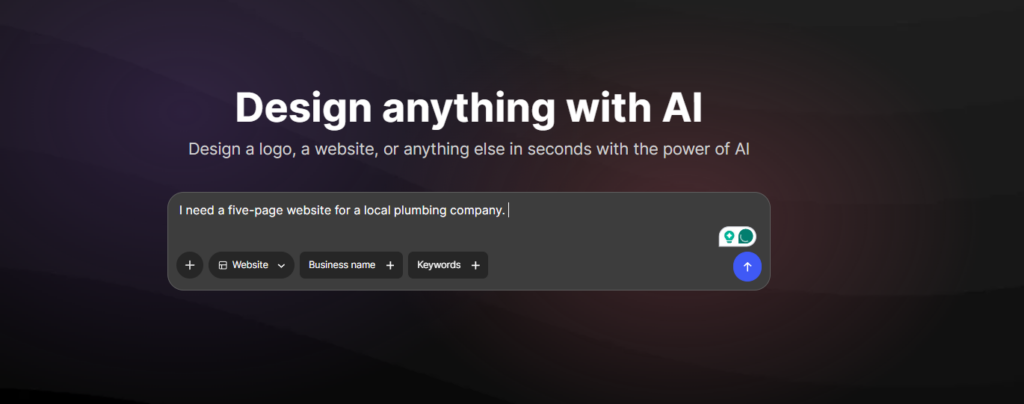
The AI uses the prompt to generate a starting website.
Conversational website builders
Some platforms let you continue interacting with the AI after your website has been generated.
Instead of manually changing every element, you may be able to tell the AI what you want changed, such as asking it to add a new section or rewrite part of the website.
AI coding or “vibe coding” tools
These tools use AI to generate or modify website code based on natural-language instructions.
They can offer greater flexibility, but they differ from typical no-code AI website builders and may require more technical knowledge, particularly when something goes wrong.
AI features inside traditional website builders
Some traditional website builders have added AI features rather than becoming completely AI-first platforms.
These tools may still use familiar visual editors and templates while allowing AI to generate content, suggest designs, create pages, or help with other parts of the process.
AI website builder vs. traditional website builder
Both AI website builders and traditional website builders can help you create a website without coding. The main difference is how you get started.
| Feature | AI Website Builder | Traditional Website Builder |
| Starting point | Business description, prompt, or guided questions | Blank canvas or manually selected template |
| Initial layout | Automatically generated or recommended | Chosen and assembled by you |
| Draft copy | Often generated | Usually written or added manually |
| Setup speed | Typically faster for a first draft | Depends more on your experience |
| Design decisions | AI narrows or automates some choices | You make more choices directly |
| Customization | Varies by platform | Varies by platform |
| Coding required | Usually no | Usually no for visual builders |
| Human review | Essential | Essential |
| Best suited for | Fast starts and guided creation | Users who prefer direct control |
An AI website builder doesn’t necessarily give you less control. In most cases, you can still customize the website after it has been generated.
The biggest difference is simply where you start.
A traditional website builder gives you a blank page or a template. An AI website builder uses your business information to help generate the starting point for you.
AI website builder vs. hiring a web designer or developer
AI website builders can be useful for many small websites, but they aren’t a universal replacement for professional designers and developers.
| Consideration | AI Website Builder | Designer or Developer |
| Initial speed | Fast first draft | Longer discovery and production process |
| Cost structure | Usually subscription-based | Project, hourly, or retainer fees |
| Strategic discovery | Limited by your input and platform workflow | Can include research and expert consultation |
| Customization | Limited to platform capabilities | Potentially highly customized |
| Technical complexity | Best for supported functionality | Better suited to complex requirements |
| Maintenance | Usually managed within the platform | Can be handled internally or by a specialist |
| Originality | May rely on established patterns | Can create a more distinctive system |
| Quality control | Primarily your responsibility | A specialist may provide a professional review |
An AI website builder can be a practical option for a small business, a freelancer, an entrepreneur, or a beginner who needs a relatively straightforward website.
Professional support becomes more valuable when a project involves things such as:
- Complex integrations
- Custom databases
- Unusual user journeys
- Strict regulatory requirements
- Advanced e-commerce
- Membership systems
- Sensitive user data
- High traffic or performance requirements
- Complex website migration
- A highly differentiated brand experience
What are the benefits of using an AI Website Builder?
Faster first draft
One of the biggest advantages is speed.
Instead of spending hours researching templates and deciding how to structure every page, you can generate a starting point and begin editing it.
Lower barrier to entry
You don’t necessarily need coding or professional web design experience.
The AI can handle some of the initial decisions, while visual editing tools let you make changes without writing code.
Help with website structure
Not everyone knows which pages a business website needs.
An AI website builder can suggest a structure based on your business, giving you a useful starting point.
Less blank-page anxiety
Starting with nothing can be intimidating.
Having a generated website in front of you makes the process more manageable because you can focus on improving something that already exists.
Built-In design guidance
AI can help suggest combinations of layouts, colors, fonts, and other design elements.
This can be especially useful if you know what your business does but don’t know how to turn that into a visual website.
Easier experimentation
You can generate different directions and compare them before settling on a particular design.
This gives you the opportunity to explore ideas without having to rebuild the entire website manually.
Integrated tools
Some AI website builders are part of broader design and business platforms.
For example, Design.com allows users to create a website alongside other branded assets, such as logos and business cards, helping maintain a consistent visual identity.
Accessible to small businesses
Small businesses and startups may not have the budget or time for a completely custom website.
An AI website builder can provide a practical way to establish an online presence and make updates as the business develops.
What are the limitations of AI Website Builders?
AI website builders can save time, but there are some important limitations to understand.
Generic results
AI-generated websites can sometimes look similar to other websites created with the same platform.
You may need to customize the design, imagery, copy, and structure to make your website feel more specific to your business.
Inaccurate or invented copy
AI-generated text can contain mistakes or unsupported claims.
Never assume that generated content is accurate. Check business information, statistics, product details, service descriptions, and other important claims before publishing.
Limited strategic understanding
AI can work with the information you provide, but it doesn’t automatically understand your customers, competitive position, business history, or long-term strategy.
You still need to decide what your website should communicate and what actions you want visitors to take.
Uneven editing flexibility
Not every AI website builder gives you the same level of control.
Some platforms may make it easy to change fonts and colors, but restrict more advanced layout or functionality changes. Check the editor before committing to a platform.
Platform dependence
Your website may depend heavily on the platform you use.
Before choosing a builder, check whether you can move your domain, export your content, access your files, or migrate the website elsewhere if you eventually decide to leave.
SEO is not automatic
An AI-generated website can include SEO features, but that doesn’t mean it will automatically rank well on Google.
Search visibility depends on many factors, including useful content, technical setup, page structure, search intent, links, site performance, and competition.
AI-generated metadata is a tool, not a guarantee of rankings.
Accessibility requires testing
A responsive website isn’t automatically an accessible website.
You should still check things such as color contrast, heading structure, alternative text, keyboard navigation, link labels, and text readability.
Privacy, Legal, and Security Responsibilities Remain
AI doesn’t remove your responsibility for the website.
If your site collects personal information, accepts payments, uses cookies, or includes forms, you still need to configure these features appropriately and provide any required privacy, consent, terms, refund, or other legal information.
Are AI website builders free?
Many AI website builders let you generate or preview a website for free, but publishing with a custom domain, removing platform branding, accepting payments, or accessing advanced features may require a paid plan.
The total cost can include more than the website builder itself.
Consider:
- Monthly or annual website plan
- Domain registration and renewal
- Business email
- E-commerce plan
- Transaction or payment-processing fees
- Premium apps or integrations
- Additional storage
- Advanced analytics
- Professional support
- Stock images or premium design assets
Rather than comparing only the advertised monthly price, look at the total annual cost of running the website.
Pricing and plan features can change, so verify the current costs and included features before publishing.
Who should use an AI website builder?
AI website builders can be a good option for:
- Small business owners
- Freelancers
- Entrepreneurs
- Startups
- Creators
- Local service providers
- Portfolio owners
- Beginners who want to create their own website
They’re particularly useful when you need a relatively straightforward website and want help getting the first version online.
However, businesses with complex technical requirements, advanced e-commerce needs, sensitive data, or highly customized experiences may benefit more from professional development support.
How to choose the best AI Website Builder
Don’t choose a platform based only on how impressive its AI generation looks. Consider what happens after the website is created.
Ease of use
The editor should be easy enough for you to make changes without needing technical help every time.
Design quality and control
Look at the quality of the generated websites and the level of control you have over the final result.
Mobile responsiveness
Your website should work properly across phones, tablets, and desktop screens.
Essential business features
Consider what your business actually needs, such as forms, booking, ecommerce, payments, analytics, integrations, or other features.
Hosting and domain options
Check whether hosting is included and whether you can connect your own domain.
SEO tools
Look for control over titles, descriptions, URLs, headings, indexing, sitemaps, and other relevant SEO settings.
Ownership and portability
Find out what happens to your website and content if you cancel your plan or move to another platform.
Support and scalability
Think about whether the platform can support your business as it grows. You may eventually need more pages, traffic, products, team members, integrations, or advanced features.
How to create a website with AI
1. Define the website’s main goal
Start by deciding what you want visitors to do.
Do you want them to book an appointment, call your business, buy a product, request a quote, sign up for an email list, or simply learn more about your services?
Your goal should influence the site’s structure and calls to action.
2. Prepare your business information
Gather the information the AI will need.
This can include your:
- Business name
- Industry
- Location
- Services or products
- Target audience
- Main selling points
- Contact details
- Brand colors
- Preferred visual style
- Required pages
- Desired features
3. Write a detailed website prompt
A detailed prompt generally gives the AI more useful direction.
Use this formula:
[Business] + [Audience] + [Goal] + [Pages] + [Visual Style] + [Brand Details] + [Required Features]
You can then turn it into a prompt like this:
Create a website for [business name], a [business type] serving [audience]. The main goal is to [desired action]. Include [pages or sections]. Use a [visual style] design with [colors and typography]. Include [required features]. The tone should feel [voice attributes].
4. Review multiple directions
Don’t automatically choose the first website the AI generates.
If the platform allows you to create multiple versions, compare them and identify the structure and visual direction that best fits your business.
5. Replace generic content
AI-generated copy is a starting point.
Replace generic descriptions with real information about your business. Add your actual services, experience, location, policies, customer information, product details, and other useful content.
6. Customize the design
Adjust the website so it feels like your business.
Change the colors, fonts, images, logo, layouts, spacing, and other elements as needed.
7. Add essential website settings
Before publishing, configure your domain, SEO settings, forms, analytics, business information, and other relevant settings.
8. Test before publishing
Check the website on different devices and browsers.
Test your links, forms, navigation, buttons, checkout or booking process, and other important functionality before sending customers to the site.
AI website prompt examples
Here are five examples you can adapt for different types of websites.
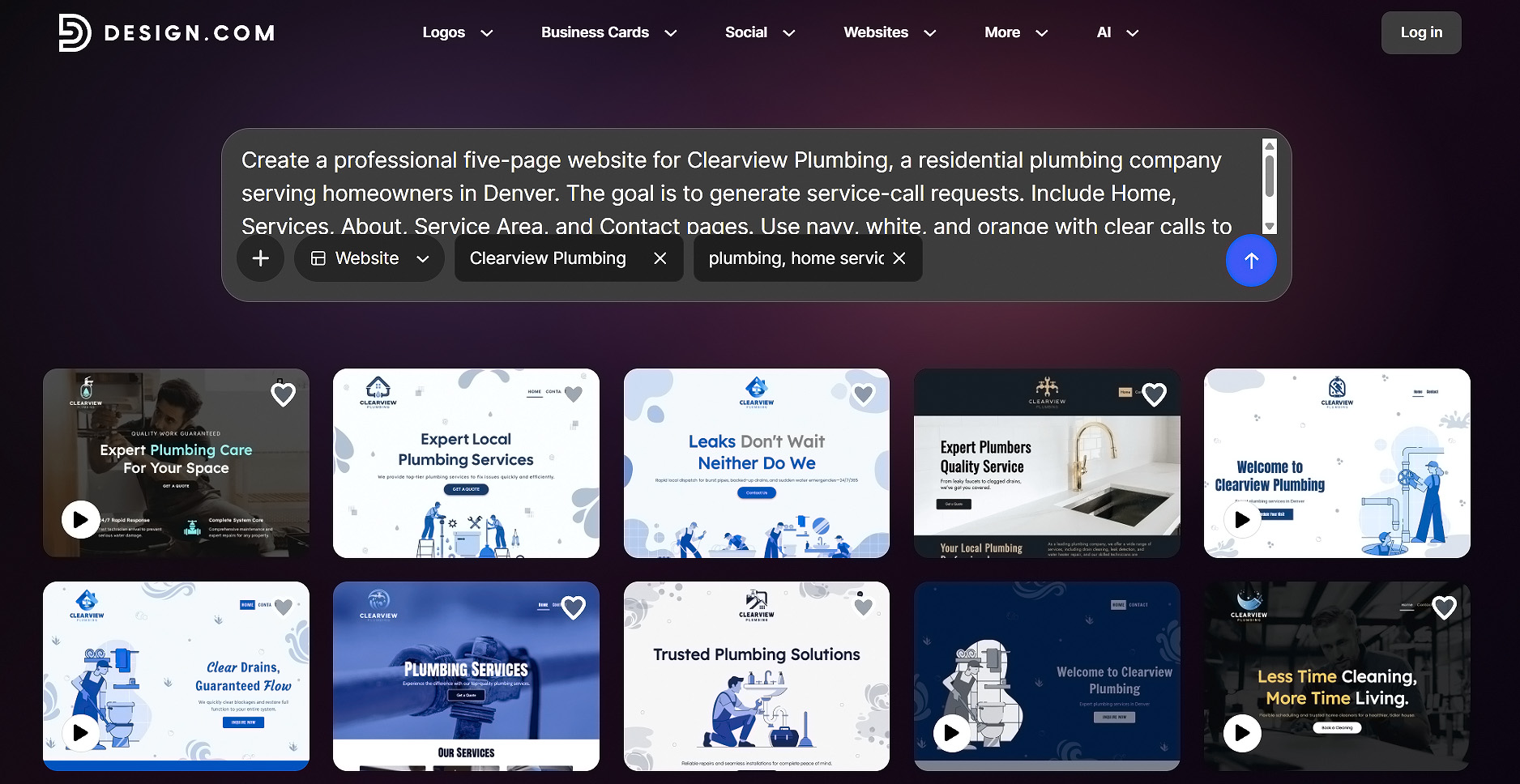
Local service business
Create a professional five-page website for Clearview Plumbing, a residential plumbing company serving homeowners in Denver. The goal is to generate service-call requests. Include Home, Services, About, Service Area, and Contact pages. Use navy, white, and orange with clear calls to action and a trustworthy, practical tone.
Consultant
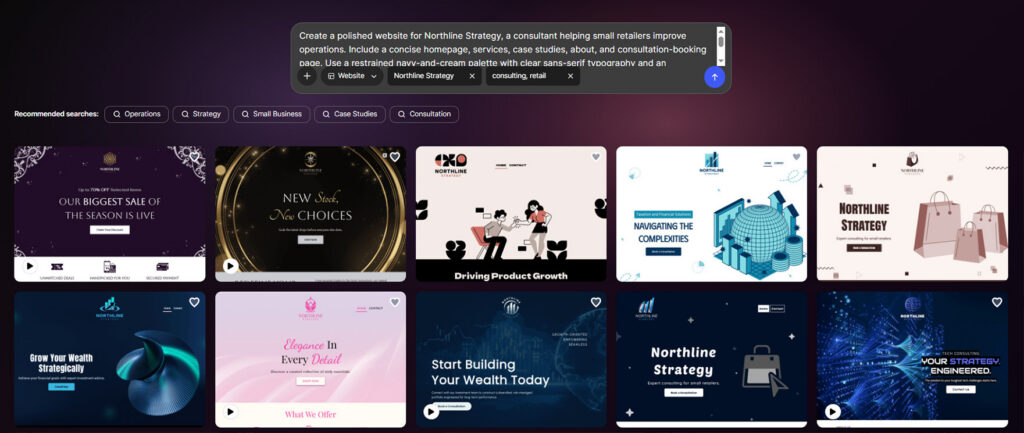
Create a polished website for Northline Strategy, a consultant helping small retailers improve operations. Include a concise homepage, services, case studies, about, and consultation-booking page. Use a restrained navy-and-cream palette with clear sans-serif typography and an authoritative yet approachable tone.
Photographer
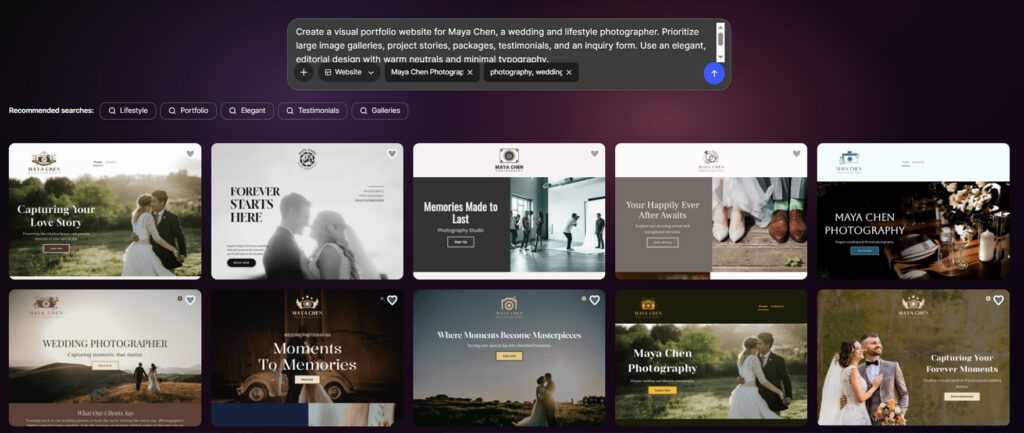
Create a visual portfolio website for Maya Chen, a wedding and lifestyle photographer. Prioritize large image galleries, project stories, packages, testimonials, and an inquiry form. Use an elegant, editorial design with warm neutrals and minimal typography.
Restaurant
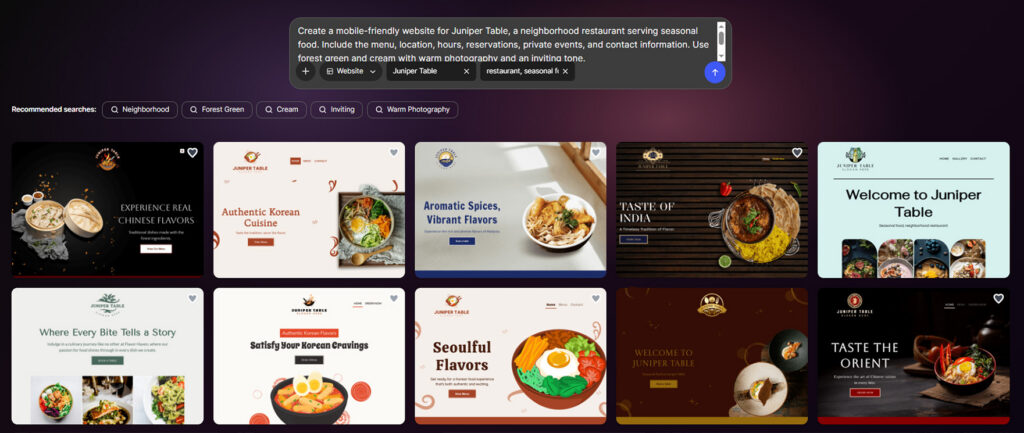
Create a mobile-friendly website for Juniper Table, a neighborhood restaurant serving seasonal food. Include the menu, location, hours, reservations, private events, and contact information. Use forest green and cream with warm photography and an inviting tone.
Online Store
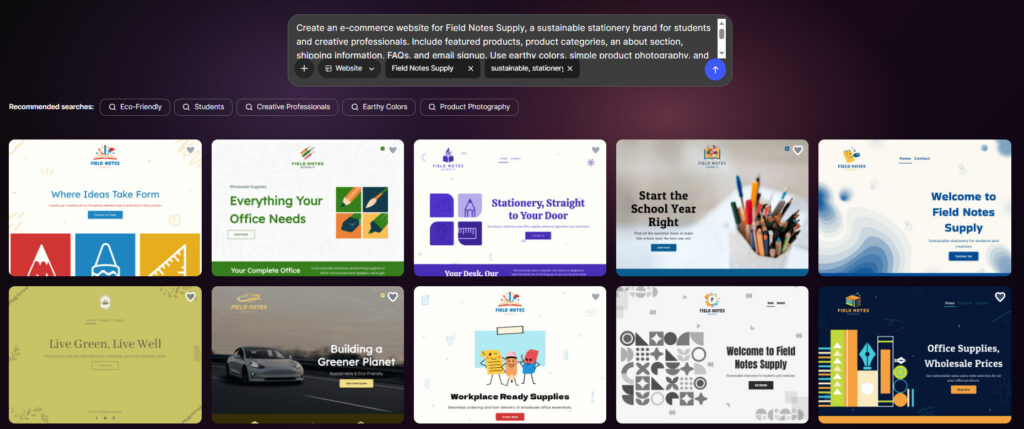
Create an e-commerce website for Field Notes Supply, a sustainable stationery brand for students and creative professionals. Include featured products, product categories, an about section, shipping information, FAQs, and email signup. Use earthy colors, simple product photography, and a practical, optimistic voice.
E-commerce capabilities vary across platforms, so verify that your chosen builder supports the catalog size, payments, taxes, shipping, inventory, and return processes your business requires.
Weak vs. strong AI website prompts
The difference between a vague prompt and a detailed one can be significant.
| Weak Prompt | Strong Prompt |
| “Make a website for my bakery.” | “Create a mobile-friendly website for an artisan bakery in Portland. Include Home, Menu, About, Catering, and Contact pages. Use warm cream and terracotta, approachable serif headings, product photography, and prominent order and catering buttons.” |
| “Build a professional consultant site.” | “Create a five-page lead-generation website for a cybersecurity consultant serving small financial firms. Use navy, white, and teal with concise, authoritative copy. Include services, credentials, case studies, FAQs, and a consultation form.” |
| “I need a portfolio.” | “Create a minimalist portfolio for a freelance product designer seeking startup clients. Include selected projects, case-study pages, a short biography, services, testimonials, and an inquiry form. Use black, white, and one cobalt accent.” |
The stronger prompts work because they give the AI more useful information about the business, audience, goal, structure, visual direction, tone, and required functionality.
AI website launch checklist
Generating a website is not the final step. Before you publish, work through this checklist.
Content
- Confirm every business detail.
- Remove placeholder text.
- Verify claims and statistics.
- Proofread headings, buttons, and forms.
- Use genuine testimonials with permission.
- Add clear calls to action.
Navigation and functionality
- Test every link.
- Submit every form.
- Check navigation on desktop and mobile.
- Test payment or booking flows where applicable.
- Confirm emails reach the correct inbox.
- Create a useful 404 page.
Design and accessibility
- Check text contrast.
- Add alternative text to meaningful images.
- Use logical heading levels.
- Make sure controls work with the keyboard.
- Use descriptive link labels.
- Test text at different zoom levels.
- Don’t communicate important information through color alone.
SEO
- Write a unique title and description for each important page.
- Use concise, descriptive URLs.
- Check heading structure.
- Add internal links.
- Confirm important pages can be indexed.
- Add or verify a sitemap.
- Connect analytics and search tools where supported.
- Review image sizes and page speed.
Legal and trust
- Add appropriate privacy information.
- Configure cookie or consent controls where required.
- Include terms, refund, shipping, or return policies where relevant.
- Verify image, font, and content rights.
- Display accurate contact and company information.
- Protect personal and payment data appropriately.
Final testing
- Test on multiple phones, tablets, and desktop browsers.
- Check performance on a mobile connection.
- Confirm the favicon and social-sharing image.
- Connect and verify your domain.
- Back up or record important site content.
- Ask someone unfamiliar with the website to complete its main action.
Conclusion
An AI website builder can make creating a website much easier, especially if you’re a beginner, freelancer, entrepreneur, or small business owner who wants to get started without coding.
The biggest benefit is that you don’t have to start from scratch. AI can help generate the initial structure, design, content, and other elements, giving you something to work with much faster. You can also use an AI image generator to create custom hero images, illustrations, and other visuals that complement your website’s design.
If you approach AI as a tool for getting started rather than a replacement for your own judgment, it can be a practical way to build a professional online presence.
Ready to create a website for your business? Try Design.com’s AI Website Builder and see what you can create in seconds.