Traditional vs. Digital Business Cards
Business cards have been the most popular way to introduce yourself and your business at networking events or when you meet prospective customers randomly. However, networking is more than just in-person meetings nowadays. Many of these interactions occur online through email, social media, video calls, and other digital channels.
That shift means business owners, professionals, and freelancers need another way to share their contact information. That makes the traditional vs. digital business cards comparison less about replacing one format with another and more about having the right way to connect when the situation calls for it.
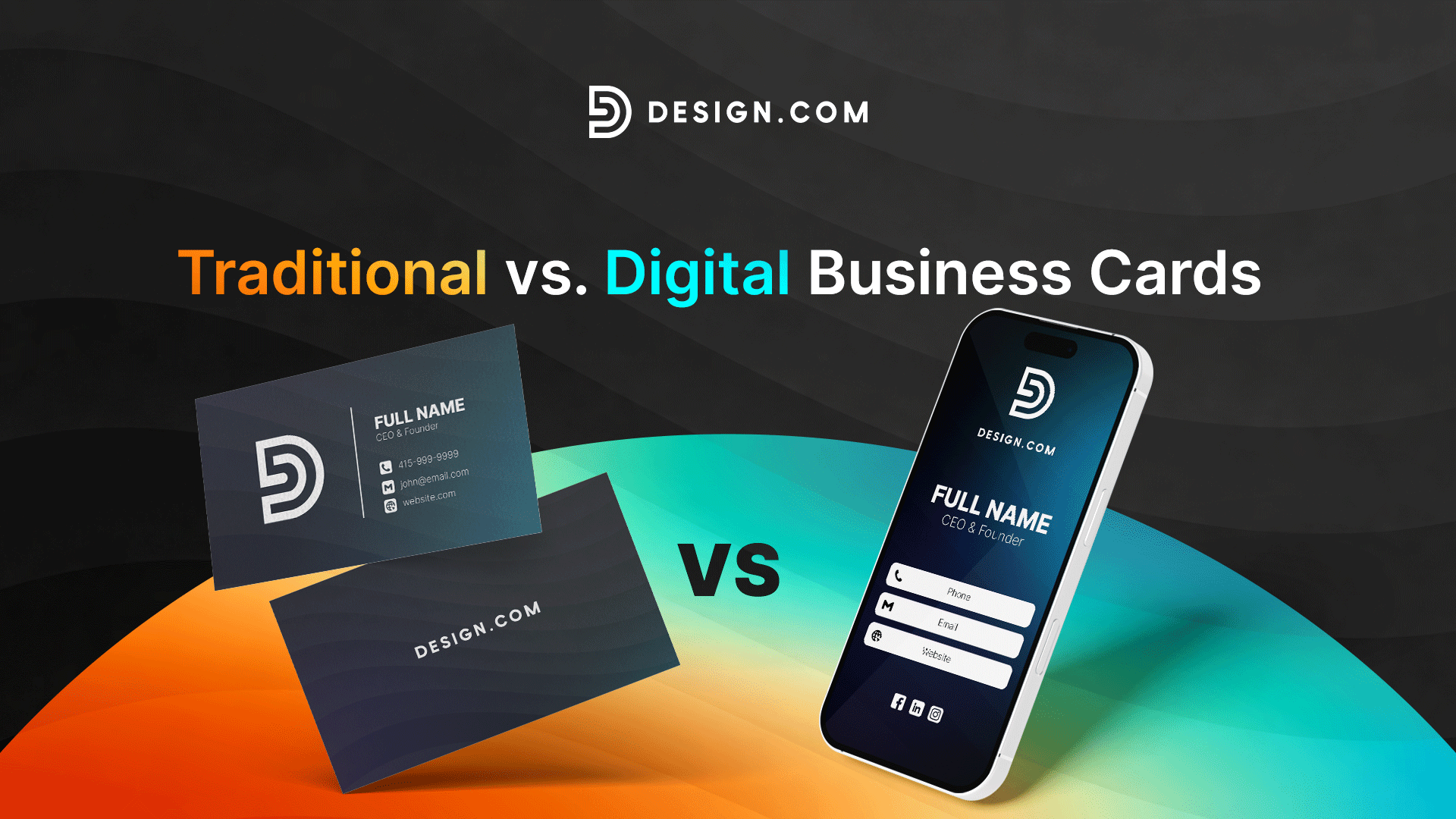
Traditional paper business cards are still useful as they give people something tangible to hold. Meanwhile, digital business cards with your logo design and complete brand identity make your contact information and online pages easier to share and update.
What is the difference between traditional and digital business cards?
While traditional and digital business cards serve the same basic purpose of giving people a way to share professional information and stay connected after an introduction, they differ in how they present, share, and manage information.
- Traditional business card: A printed card that displays essential professional information, such as your name, job title, company, contact details, website, and logo. You typically hand it to people during face-to-face interactions.
- Digital business card: The online shareable profile that includes your professional identity, contact details, branding, and relevant links. You can share it via URL, QR code, email, text message, social media, or other supported sharing methods.
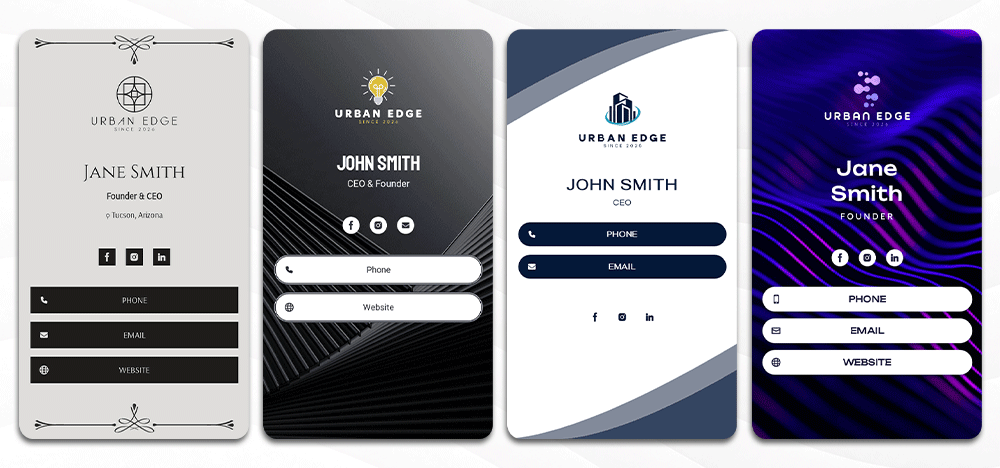
The difference between the two business cards goes beyond the format. They also have their own advantages and disadvantages in cost, convenience, updating information, and sharing.
| Factor | Traditional Business Card | Digital Business Card |
| Format | Physical | Online |
| Sharing | Primarily in person | In person or remotely |
| Updating | Requires reprinting | Usually editable |
| Links | Printed URLs or QR codes | Clickable links |
| Physical presence | Strong | None unless paired with physical media |
| Sharing volume | Limited by available cards | Essentially unlimited |
| Device required | No | Usually yes |
| Ongoing costs | Reprints and replacements | Depends on platform and plan |
Some digital business card platforms provide additional features, like analytics, lead capture, CRM integration, team management, or offline sharing. If you’re interested in those, look for a platform that supports them.
Cost comparison: Paper vs. digital business cards
Digital business cards may seem cheaper than paper business cards, but it will depend on how you use them.
Consider how many cards you need, the materials and features you choose, how often information changes, and how long you plan to use them. With those factors, it makes more sense to compare the total cost over time rather than a single print order with a monthly digital subscription.
The cost of traditional business cards
With traditional business cards, printing is only one part of the expense. The complete set of costs includes:
- Design: Creating the initial card design or updating an existing one.
- Printing: Producing each batch, with the price affected by quantity, paper quality, finishes, shape, and other specifications.
- Shipping: Delivering printed cards to an individual, office, or multiple employees.
- Reorders: Printing additional batches as existing supplies run out.
- Reprints: Replacing cards when a phone number, job title, address, website, or brand element changes.
- Unused stock: Discarding cards that become outdated.
- Administration: Managing designs, approvals, orders, and distribution, particularly across larger teams.
Premium paper, foil, embossing, specialty finishes, and unusual shapes can increase printing costs. For teams, recurring expenses can also multiply when you order and update cards for different employees.
The cost of digital business cards
Digital business cards may seem cheaper because they remove printing expenses. Some platforms also let you create a digital business card for free, while others charge a one-time fee or subscription. Additional costs only apply if you want more features, like advanced branding, analytics, integrations, or team management.
So, the potential expenses include:
- Setup: Creating and configuring the initial digital profile.
- Subscription: Paying for a platform or premium plan, if required.
- Premium features: Adding analytics, integrations, team tools, or other paid functionality.
- Optional hardware: Purchasing NFC cards or other physical accessories.
- Administration: Managing profiles and access, particularly for teams.
Unlike printed cards, sharing a digital card generally doesn’t create a new production cost. You also don’t have to pay again if you need to update your information.
Comparing the costs over time
Rather than focusing only on the initial expense, calculating the total cost of each option over 12 to 24 months gives you a more realistic picture of what you’ll spend.
Consider the number of times you expect to reorder printed cards, how often contact or employee information changes, whether a digital platform requires an ongoing subscription, and which optional features you would actually use.
This makes it easier to see where you’ll spend more rather than assuming one format will be cheaper than the other.
Which is more convenient?
Convenience depends on two perspectives: the card owner and the recipients.
Convenience for the card owner
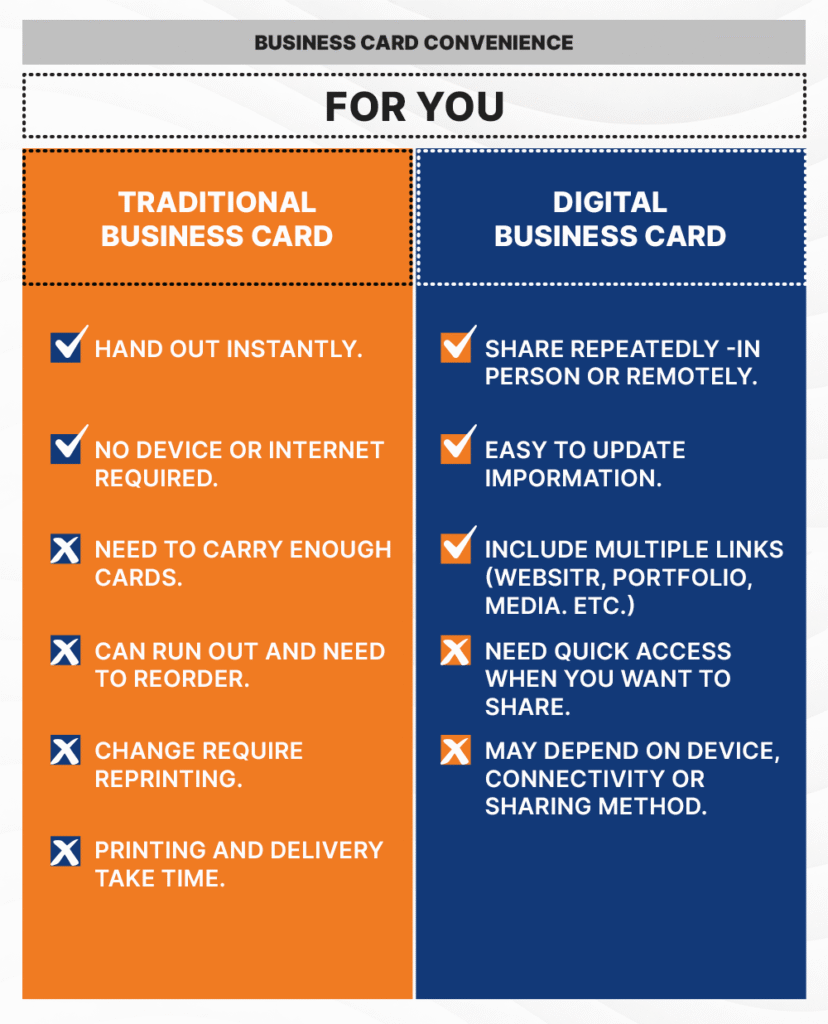
In face-to-face settings, traditional business cards are more convenient. You can hand one over without relying on a mobile device, Internet connection, or digital platform. However, you need to consider several factors:
- You need to have enough cards with you.
- You can run out and need to reorder.
- Changes to your phone number, job title, address, or branding may require reprinting.
- Printing and delivery can take time.
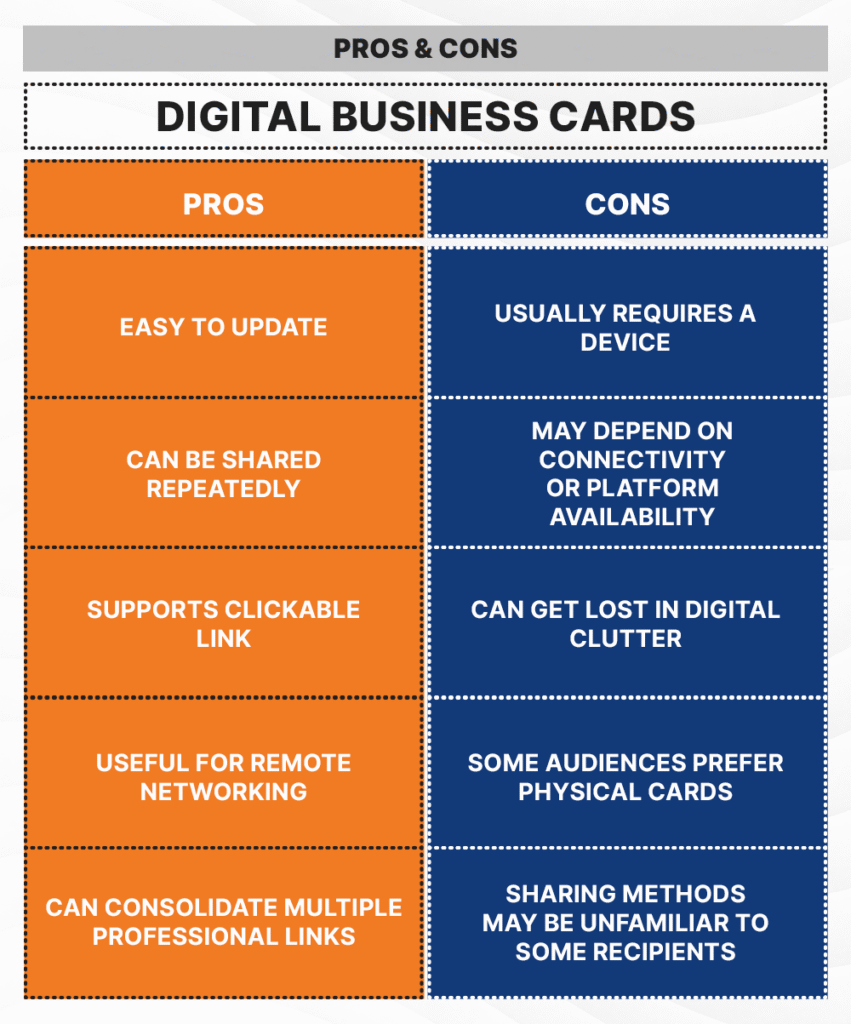
Digital business cards remove these inconveniences. You can share your URL as often as needed, whether you’re meeting in person or online. Your virtual cards can also include your website, portfolio, booking page, and social media links. However, there can still be a few limitations:
- You need quick access to the card when you want to share it
- The process may depend on your device, internet connection, or chosen sharing method.
Convenience for the recipient
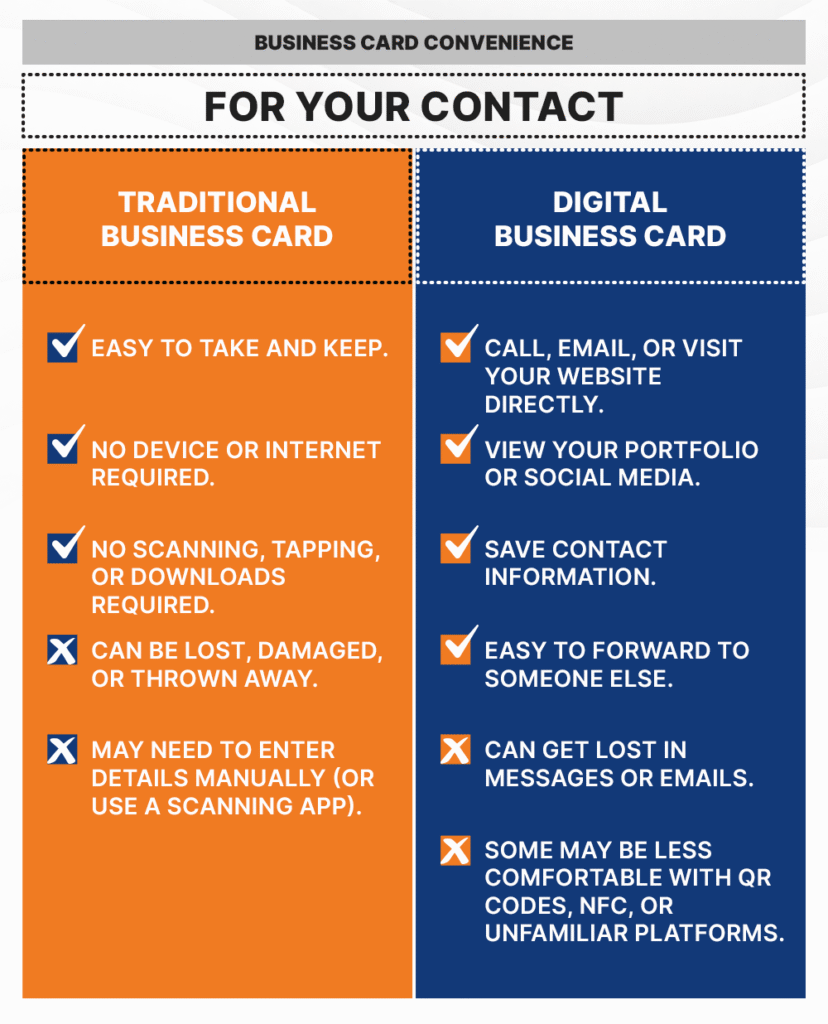
Traditional paper business cards are familiar and require very little effort to receive. Recipients can just take the card and keep it for later. They don’t need to scan, tap, download, or open anything.
However, they can lose, damage, forget, or unconsciously throw the physical card. Also, they have to manually add your information to their phone if they want to save it. Digital cards can make this faster. Depending on the card, recipients may be able to:
- Call or email you directly.
- Visit your website or portfolio.
- Open your social media profiles.
- Save your contact information.
- Forward the card to someone else.
However, digital cards can also get buried in messages, emails, or browser tabs. Some recipients may also be less comfortable using QR codes, NFC, or unfamiliar platforms.
Ultimately, the most convenient business card is the one that creates the least friction for the person you want to connect with. If you know the type of people you are targeting as your customers or clients, you’ll know what’s the best option.
Which makes a stronger first impression?
Traditional and digital business cards create impact in different ways, so neither format automatically makes a stronger first impression. That depends on the recipient, situation, design quality, and usability.
The impact of a traditional business card
Paper business cards can make an impression through their physical design. Elements such as paper thickness, texture, shape, finish, typography, and print quality can influence how recipients perceive your brand.
Traditional cards also have several advantages in face-to-face interactions:
- Physical presence: People leave the conversation with something they can keep.
- Tactile design: Paper stock, foil, embossing, and other finishes can make the card more distinctive.
- Personal exchange: Handing someone a card creates a natural moment during an introduction.
- Familiarity: Physical cards may feel more appropriate in certain professional, formal, or cultural settings.
The limitation is that the impression depends heavily on the design itself. If you’re using a generic template, your card can be easily overlooked, misplaced, or discarded.
The impact of a digital business card
Unlike physical cards, digital cards make an impression through interaction rather than physical presentation. They can guide people to the next step instead of just providing your information. Depending on the card, someone may be able to:
- Visit your website or portfolio.
- View your products or services.
- Open your social media profiles.
- Contact you directly.
- Access additional information that would not fit comfortably on a printed card.
Digital business cards are effective if your goal is to encourage an immediate follow-up. However, they don’t make digital more impressive and memorable. They’re still prone to poor designs, and other digital content can bury them.
Branding and design flexibility
Your business cards are a natural extension of your brand — whether they’re printed on paper or created virtually.
Traditional business card design
Paper business cards offer plenty of design options — from your logo, brand colors, and fonts to the card’s material and finish. These choices let you control both how your card looks and how it feels.
Design options can include:
- Paper stock, thickness, and texture
- Foil, embossing, and other finishes
- Rounded corners or custom shapes
- Front-and-back layouts
- Brand colors, fonts, patterns, and graphics
You can also add a QR code at the back of your card that directs recipients to your website, portfolio, or digital business card.
Digital business card design
While virtual cards don’t offer the tactile experience of paper, they offer more flexibility in the details you can include. Along with your logo, brand colors, typography, and basic contact information, you can also add links to:
- Official website
- Portfolio
- Social media profiles
- Online store
- Booking page
You can also update your information after publishing instead of creating a new card whenever something changes.
Keeping your branding consistent
If you use both traditional and digital cards, focus on the design elements that make your brand recognizable. Use the same brand logo and overall visual style, which includes your colors and fonts, across both formats to create a consistent brand identity.
Environmental impact: Is digital always greener?
While digital business cards can reduce paper consumption, that doesn’t necessarily make them more environmentally friendly. Both formats leave an environmental footprint — just in different ways.
Environmental impact of traditional business cards
Because traditional cards require physical materials, they can involve:
- Paper or other materials
- Ink and printing
- Packaging
- Shipping and transportation
Waste is another consideration. You may need to discard outdated paper cards, while recipients may throw away cards they don’t need.
Environmental impact of digital business cards
Electronic cards produce less paper waste than traditional cards. However, creating, hosting, accessing, and sharing them can still affect the environment, as they rely on:
- Phones, computers, and other devices
- Internet and mobile networks
- Servers and data centers
- Electricity
Pros and Cons of Traditional vs. Digital Business Cards
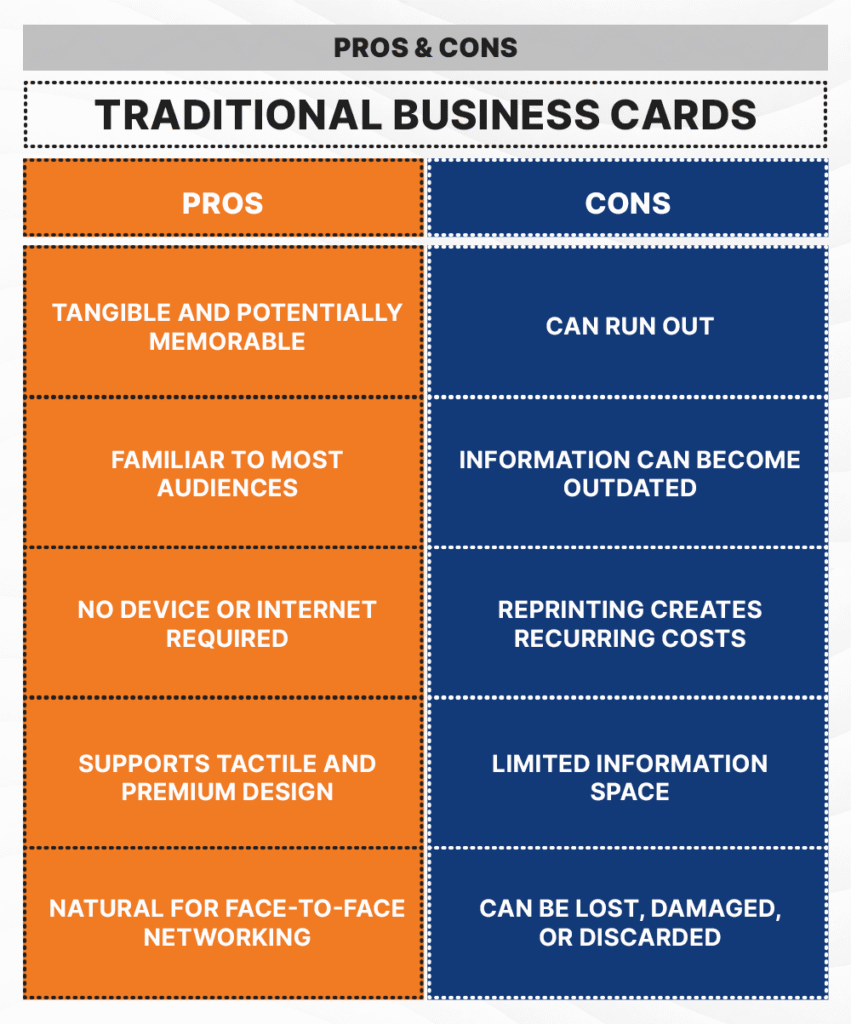
Traditional and digital business cards each have advantages and limitations. The classic paper cards are simple, tangible, and well suited to face-to-face exchanges, while virtual cards offer more flexibility for updating, sharing, and connecting people to online content.
These pros and cons don’t make one format better for everyone. The advantages still depend on where you network, who you meet, and what you want recipients to do after receiving your information.
When should you choose traditional or digital business cards?
As mentioned, the right format depends largely on where you network, who you meet, and what you want people to do after the exchange.
When to choose traditional business cards
Traditional cards are more suitable when:
- Most networking happens face to face: Conferences, trade shows, client meetings, storefronts, and professional events naturally lend themselves to physical exchanges.
- Your audience prefers something tangible: Some people still prefer a printed card because it’s familiar and doesn’t require using any mobile device.
- Physical presentation matters to your brand: Premium paper, texture, foil, embossing, and other finishes can make the card itself part of the brand experience.
- Device access or connectivity may be unreliable: Sometimes, technology fails, and you’ll need an alternative.
When to choose digital business cards
Digital cards may be a better fit when:
- You also network through online channels: You can share your virtual cards via email, messaging apps, social media, video calls, or other compatible methods.
- Your information changes frequently: You can update your contact details, job titles, services, and links without creating a new card.
- You want to share more than contact details: A digital card can direct people to your website, portfolio, social profiles, booking page, or other relevant destinations.
- You want to make follow-up easier: Recipients can move directly from the introduction to actions such as visiting your website, viewing your work, or getting in touch.
You don’t have to choose just one format. If both suit your networking needs, you can use traditional and digital business cards together.
Why a hybrid approach may work best
Using both paper and digital business cards can give you more flexibility. Here are a few ways in which the two formats can work together:
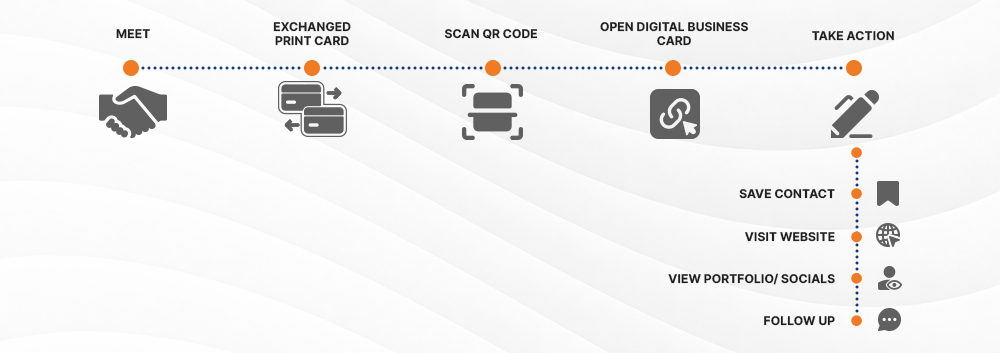
- Add a QR code to your printed card: Print a QR code on the back of your physical business card so people can also access your digital profile.
- Use printed cards for face-to-face networking: Keep paper cards for conferences, client meetings, trade shows, and other situations where a physical exchange feels natural.
- Share your digital card remotely: Send your electronic cards through email, messaging apps, social media, or virtual meetings when handing over a printed card isn’t possible.
- Use each format for different levels of information: Keep the printed card focused on essential contact details, then use the digital version for additional links such as your website, portfolio, social profiles, or booking page.
These two formats don’t necessarily work against each other. They can actually complement one another.
How to create matching traditional and digital business cards
If you decide to use both formats, treat them as part of the same brand system. They don’t need to contain the same information, but they should look and feel like they belong together.
1. Start with the same visual identity: Use your brand logo, colors, fonts, and overall visual style as the foundation for both cards to create a consistent identity.
2. Choose the right information for each card: Keep the printed version focused on the details someone needs to identify and contact you quickly. These might include:
- Name and job title
- Company name
- Phone number and email address
- Website
- QR code
For your digital card, you can link to your:
- Website
- Social media profiles
- Portfolio
- Booking page
- Other relevant online destinations
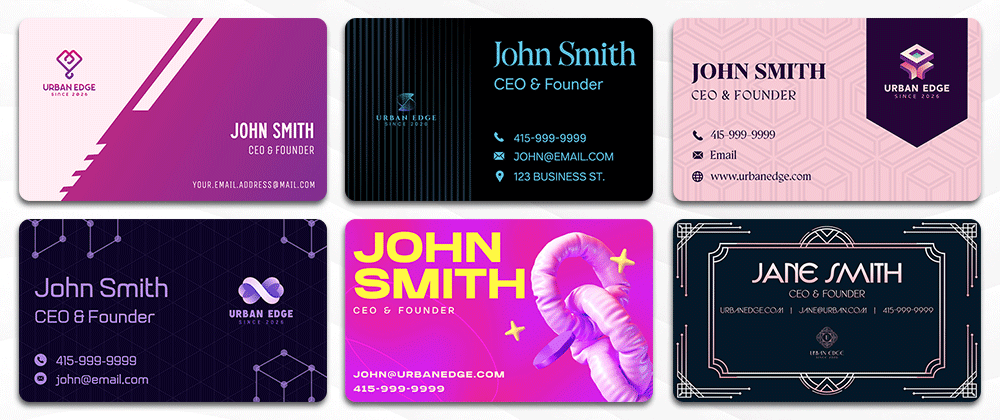
Design.com can help you create matching printed and digital business cards, regardless of which format you start with. Upload your existing logo, then enter a prompt with your business name in either the AI Business Card Generator or digital business card maker. The platform will generate multiple customizable designs that incorporate your branding.
If you don’t have a logo yet, you can create one with Design.com’s AI Logo Generator. Enter your business name and keywords describing your industry or preferred style to generate thousands of logo options. Choose a design, then customize its colors, fonts, icons, and layout manually or with the AI chat editor. Once your logo is complete, Design.com automatically applies it, along with its colors and fonts, to compatible branded templates, including printed and digital business cards.
3. Check everything before sharing: Test both versions before you give them out. If your printed card has a QR code, scan it to make sure it works and opens to the correct destination. For your digital business card, test its URL and click each link to confirm that everything works as expected. Finally, check your contact details on both cards — including phone numbers, email addresses, and website URLs — to ensure they’re free of typographical errors.
Conclusion
Traditional and digital business cards serve the same purpose in different ways. Paper cards provide a tangible way to exchange information face-to-face, while virtual cards make it easier to update details, share remotely, and direct people to your online content.
The right choice depends on how you network and what works best for the people you want to reach. You can also use them together: prepare matching printed and digital cards and choose the format that best fits each interaction.
Read more about business cards here:
- The Official Guide to Free AI Business Card Makers in 2026
- Best Business Card Makers in 2026
- What Is a Business Card?
Dianne Claveria is an SEO content writer specializing in digital marketing, branding, and technology trends. Passionate about helping businesses grow online, she enjoys exploring the latest tools and innovations in the digital space while creating content that’s both engaging and search-optimized.