
Design templates
Effortless illustrations. Start for free & download instantly.
THE #1 BEST ILLUSTRATION MAKER
Why Design.com is the world's best illustration maker
1. Huge template library
Design.com boasts one of the largest illustration design libraries in the world, with thousands of professionally crafted illustrations spanning business, technology, lifestyle, education, health, food, travel, and more.
2. Instant illustration discovery
Enter a keyword or your business name and Design.com instantly surfaces relevant illustration designs for you to browse. No brief, no illustrator, no waiting.
3. Highest-quality illustration design
Every illustration is handcrafted by professional designers, not generic stock imagery, so your artwork always looks polished, premium, and print-ready.
4. Industry-specific template categories
Find illustrations tailored to your purpose, including business, education, health, lifestyle, food, and travel, so your artwork always fits your context perfectly.
5. Template search and filtering
Search by keyword (e.g. 'teamwork,' 'celebration,' 'nature') to instantly surface the illustrations most relevant to your campaign or content.
6. Free illustration options
Design.com offers a range of 100% free illustration templates you can fully customize and download instantly. No upfront cost required.
7. Easy-to-use editor
Edit colors, layouts, shapes, and gradient effects with simple drag-and-drop tools. No design experience needed.
8. Instant preview and real-time editing
See your changes as you make them with real-time design previews, so refining your artwork is fast.
9. Custom logo integration
Add your existing logo or create a new one with our AI logo generator, so your branding is applied consistently across every illustration.
10. Gradient colors and custom shapes
Make your illustration stand out with gradient color fills, over 62,000 custom vector shapes, and curved text.
11. Exclusive fonts
Choose from over 750 fonts, including more than 525 exclusive to Design.com, for any headlines or captions that sit on your artwork.
12. Unlimited edits
Come back and edit your illustrations as many times as you like. No limits, no extra charges.
13. Professional, print-ready formats
Download your illustration in high-resolution PNG and JPG for digital sharing, or vector formats (SVG, EPS, PDF) for professional print use.
14. Perpetual file storage
Your illustration files are stored securely in your Design.com account forever.
15. Built for every use case
Illustrations are designed for real-world needs such as blog and landing page artwork, social campaigns, presentations, email newsletters, marketing collateral, and personal projects.
16. Royalty-free commercial license
Every design comes with a worldwide, irrevocable license for commercial and non-commercial use.
17. Automatic brand matching
Upload your logo and Design.com automatically matches your illustration colors and design elements to your brand.
18. Complete brand kit access
Unlock over 1 million design templates across print, social, and web, all matched to your brand colors.
19. Social media designs
Drop your illustrations into matching branded social media graphics for Instagram, TikTok, Facebook, LinkedIn, YouTube, and more.
20. Posters and flyers
Carry your artwork straight into posters and flyers, all matched to the same brand.
21. Website builder
Build a website featuring your new artwork using Design.com's AI website builder.
22. Presentations
Bring your illustrations into on-brand presentations that match the rest of your design assets.
23. Email signatures
Generate a branded email signature that matches your illustration's style and brand theme.
24. 24/7 customer support
Get help anytime via live chat or email from Design.com's team of design experts.
How it works
Creating an illustration is easy with Design.com
Discover beautiful illustrations
Simply enter a keyword to start creating the perfect illustration, and we'll show you related illustrations instantly. With thousands of illustrations to choose from, you'll discover the perfect design in no time.

Customize your illustration
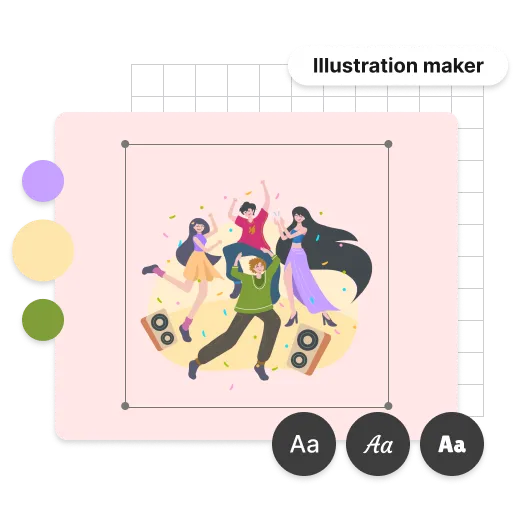
Fully customize the colors, shapes and layout of your illustration. Design.com provides the right tools to create artwork that fits your brand. In just a few clicks you can also make your illustration pop with gradient colors, a huge array of custom shapes or curved text.
Download your illustration!
Once you're done editing your illustration, you can download instantly. You'll get all the files you need to use your illustration immediately.

Get started with Design.com's illustration maker
Enter your business name and we'll start creating illustrations in seconds.
Features
What you get with an illustration from Design.com
Thousands of illustration templates
Browse a huge library of illustration designs for every industry and subject.
Designed by professionals
Each and every illustration at Design.com is created by professional designers.
All the files you need
High-resolution PNG and JPG files, plus print-ready vector SVG, EPS, and PDF.
Unlimited color variations
Match your artwork to your brand palette.
Matching social media designs
Use your illustrations across branded social graphics.
Brand identity tools
Logos, posters, flyers, websites, and presentations that match your artwork.
Unlimited customization
Edit colors, shapes, and layout as often as you need.
24/7 support
Help from our design experts whenever you need it.
Commercial license
Your illustration is yours to keep and use.
Advantages
Beyond illustrations

Get your brand message right with stunning illustrations
Original artwork makes your content memorable and your brand recognizable. Once your illustration is created, you get access to Design.com's full design suite, including posters, flyers, social media graphics, websites, and presentations, all automatically matched to your brand colors and logo.
Create an illustration perfect for you
Whether you need one hero image or a set for a whole campaign, Design.com has illustration designs to suit every style and subject. Find artwork that fits, then make it yours in minutes.
More than just illustrations
Build a complete brand identity with matching designs across web, social, and print, all from one place.
Features
Create the perfect illustration
Here's why Design.com is the best place to create your illustration
Unique illustration templates
Each and every illustration at Design.com is created by professional designers, so your artwork won't look like everyone else's stock imagery.
Free to get started
Browse, edit, and save illustration designs at no cost.
Lightning-fast - get your illustration in a few minutes
Find an illustration that stands out, then in minutes edit everything you need.
Testimonials
These businesses loved using Design.com
How to
How do I make an illustration with Design.com?
Search for illustration designs
Enter a keyword or your business name and Design.com will show you a range of relevant illustration templates.
Refine your results
Filter by industry or style to narrow down the artwork that suits your project.
Customize your illustration
Adjust colors, shapes, and layout with the easy-to-use editor until every detail is just right.
Download your illustration
Click download to get all the files you need, ready for your website, campaign, or print run.
Get started with Design.com's illustration maker
Enter your business name and we'll start creating illustrations in seconds.
Frequently asked questions
What is an illustration maker, and is Design.com the best option for my business?
An illustration maker is an online tool that lets you design and download professional artwork using templates and simple editing tools, without needing to hire an illustrator or license stock imagery. Design.com is a great choice if you want illustrations that match your brand, along with the option to create logos, websites, social graphics, and marketing materials, all in one place.Why is Design.com the world's best illustration maker?
Here are the top 5 reasons Design.com is the best illustration maker:- Design.com has one of the world's largest illustration design libraries, with thousands of professionally crafted illustrations
- Every illustration is created by professional designers, not generic stock imagery
- Automatic brand matching means your logo colors are instantly applied across your illustration and all other design assets
- You get unlimited color and layout variations, plus vector files that are print-ready
- When you create an illustration on Design.com, you get access to the full design suite with 50+ tools and over 590,000 templates that match your brand
How do I create an illustration with Design.com?
Start by entering a keyword or your business name and Design.com will instantly show you relevant illustration designs to browse. Choose one you love, then customize the colors, shapes, and layout using the simple editor. Then download in high resolution.Does Design.com have AI tools to help me create an illustration?
Yes! Design.com's AI Illustration Generator generates original artwork from your business name and a short description, in seconds. It's part of a complete AI branding platform for logos, illustrations, posters, websites, and brand assets.Can I create an illustration for free on Design.com?
Yes. Design.com offers a range of free illustration templates you can fully customize and download at no cost. Premium plans start from $3/month.What file formats does Design.com provide for illustrations?
Downloads include high-resolution PNG and JPG files for digital sharing, as well as vector files (SVG, EPS, and PDF) that are print-ready for professional printing services.What types of illustrations can I create with Design.com?
Design.com's illustration templates cover a wide range of styles and purposes, including blog and landing page artwork, social media illustrations, presentation graphics, email and newsletter artwork, marketing collateral, and personal projects.Can I edit my illustration once I've finished?
Yes. Once you've downloaded your illustration, you can come back as often as you like to edit the design. You can also create as many new illustrations as you need, with no extra charges.Can I use my illustration for commercial purposes?
Yes. Every illustration downloaded from Design.com comes with a worldwide, irrevocable license for both commercial and non-commercial use.Can I create matching brand materials alongside my illustration?
Yes! Once your illustration is created, you get access to Design.com's full design suite, including posters, flyers, business cards, email signatures, social media graphics, websites, and presentations, all automatically matched to your brand colors and logo.